Some Christmas gifts get wrapped, and some go in a stocking. Mark the stocking stuffers so you can see each person has both covered, and find them all in one place on Christmas Eve.
Stocking stuffers show on Christmas gift plans: a plan dated December 24 or 25, or one with Christmas in its name and no date. Birthday and other plans don't show them.
Mark a gift as a stocking stuffer
- Add a gift as usual: tap +, then Gift for the person. Paste a link or type the name.
- Next to the person's name under For, tap Stocking stuffer. It turns pink with a check mark.
- Tap Add to the person's pile.
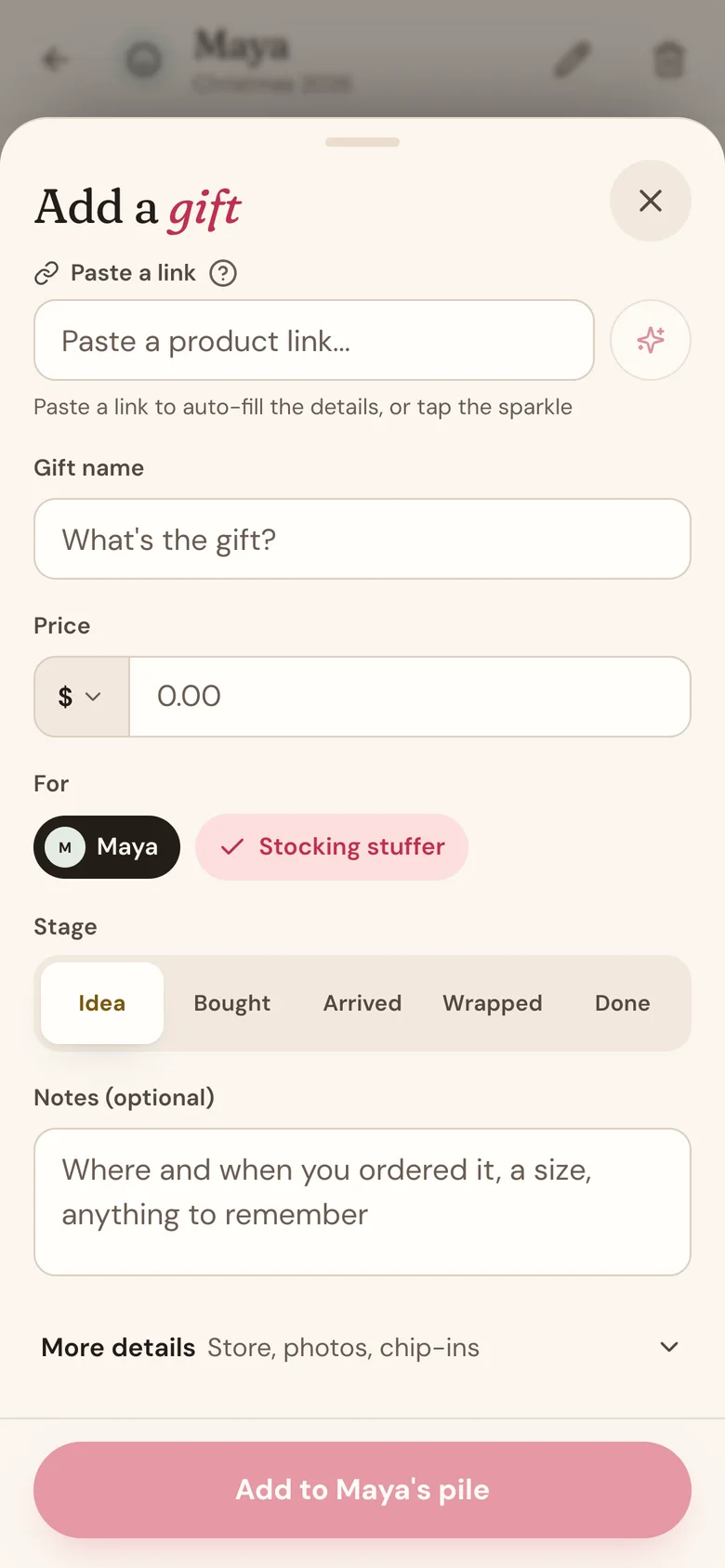
To change it later, open the gift, tap Edit gift, and tap Stocking stuffer again.
Where they show
- On the person's page, stocking stuffers have a small tree in the corner of their picture, and a Stocking button next to the stage buttons shows just those.
- On the Gifts tab, in Grouped, each person's card lists their wrapped gifts first, then a Stocking section, and the top line counts them ("3 stocking"). It's a handy checklist for filling stockings. In List, the line under the gift says Stocking.
- In the Tags view (if you use gift tag numbers), a stocking stuffer shows a tree instead of a tag number, since it doesn't get wrapped, and they're listed last.
A stocking stuffer moves through the same stages as any gift, and counts toward the person's budget and Gift progress the same way. It can skip Wrapped: go straight from Bought (or Arrived) to Done.
Don't do stockings?
Tap your picture at the top right, then Profile settings, and under Display turn off Stocking stuffers. The button and the stocking sections go away. Gifts you already marked keep their mark, so turning it back on brings them back.
Good to know
- Copying a gift to other people keeps it a stocking stuffer, and so does cloning last Christmas's plan.
- The Export to CSV on the Gifts tab adds a Stocking Stuffer column.
- ChatGPT and Claude can mark gifts as stocking stuffers too. See Use Wishpile in ChatGPT or Claude.
Related
Still stuck?
Ask Wishpile and get an answer in seconds, or email support@wishpile.com and a real person will get back to you. Quick answers live in the FAQ.