Give each person a budget and Wishpile adds up what you've spent on them as you go. Your Home screen totals it for the whole list.
Steps
- Tap People in the bottom bar, then tap the person.
- Tap the pencil icon at the top right.
- Type an amount in Budget (optional) and tap Save changes. You can also set it when you first add someone.
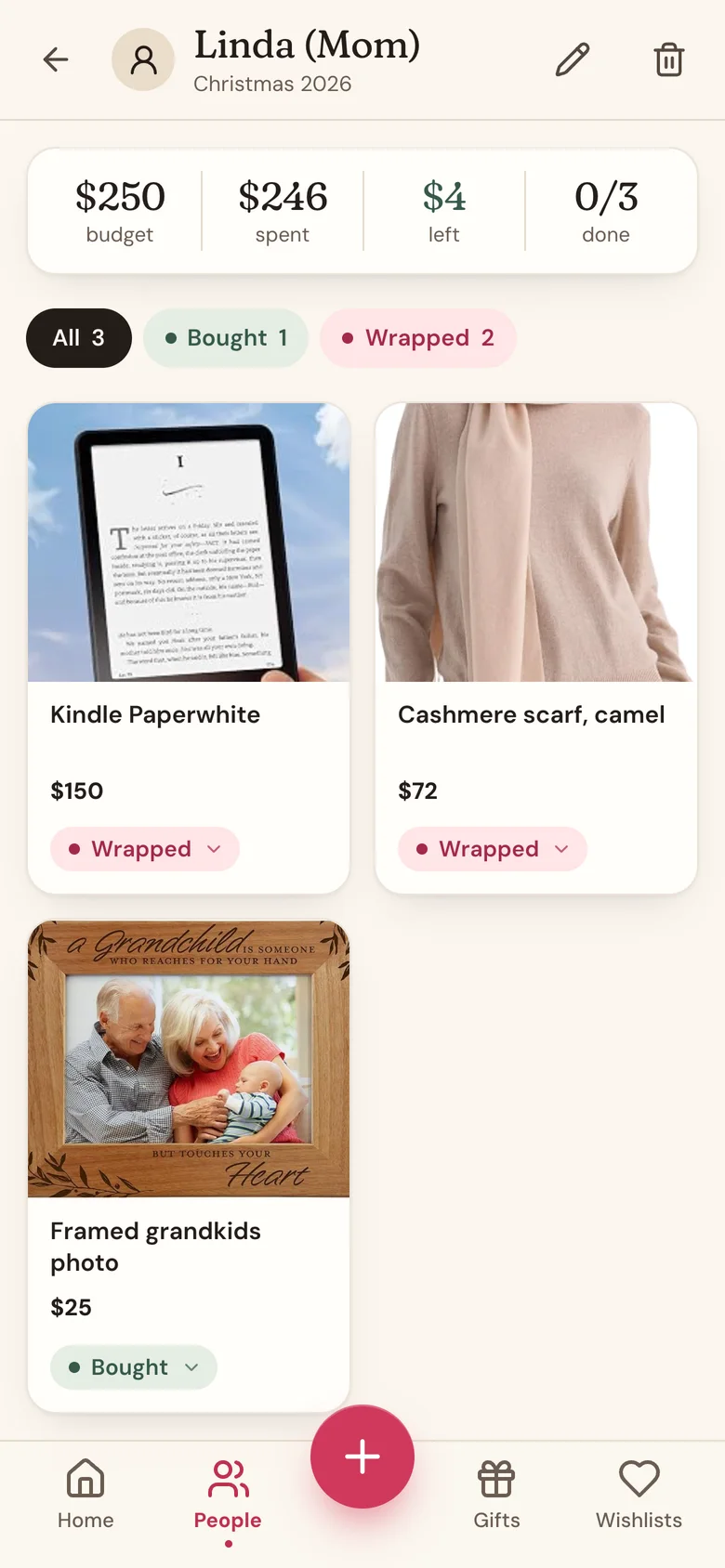
- Check their page: the card at the top shows their budget, what you've spent, what's left (or how much you're over), and how many gifts are done.
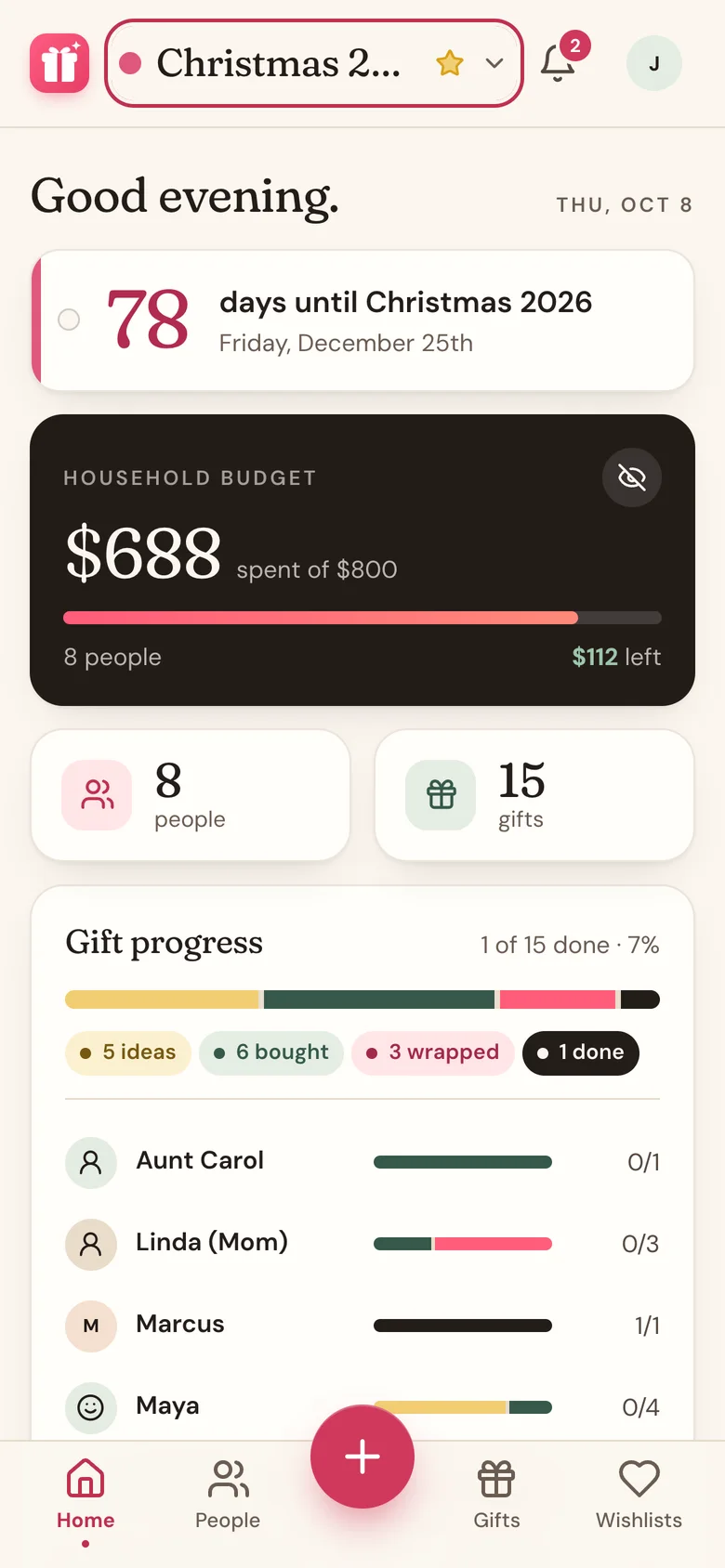
- Tap Home to see the Budget card for the whole list: what you've spent, the total budget, and what's left.
What counts as spent
- Only gifts at Bought, Wrapped, or Done. Ideas don't count.
- Only your share. If others chipped in, what they put in comes off the price, and the rest counts as yours. Their share shows in the Chipped In By card on Home.
- The list budget on Home is all your people's budgets added up.
Prices in other currencies
Budgets and what you've spent are in your own currency, which you pick in Profile settings. A gift priced in another currency, like one from a shop abroad, counts at the day's exchange rate. Each gift still shows its own price, such as £45, and the totals it goes into are close rather than exact.
Hide the amounts
Planning with someone looking over your shoulder? Tap the eye icon on the Budget card. Every amount on Home and on People turns into dots. Tap it again to bring them back.
This only affects the device you tapped it on. Prices on a person's page and on the Gifts tab still show.
Good to know
- No budget set? You still see what you've spent, just without "left".
- Over budget shows in coral on the person's page, the People list, and Home.
- Budgets belong to one list. Each list's people have their own.
- If you share a household budget with a partner, the Home card becomes Household budget and uses that one number instead of adding up each person. See Share a budget with your household.
Related
Still stuck?
Ask Wishpile and get an answer in seconds, or email support@wishpile.com and a real person will get back to you. Quick answers live in the FAQ.