Your Profile holds the few things Wishpile knows about you, plus how the app looks on this device.
Steps
- Tap your avatar in the top right corner, then tap Profile settings.
- In About you, update your First name and Last name.
- If you like, pick your Birth date (optional): a month and a day, no year. You can save your name without it, but if you pick a month, pick a day too.
- Tap Save.
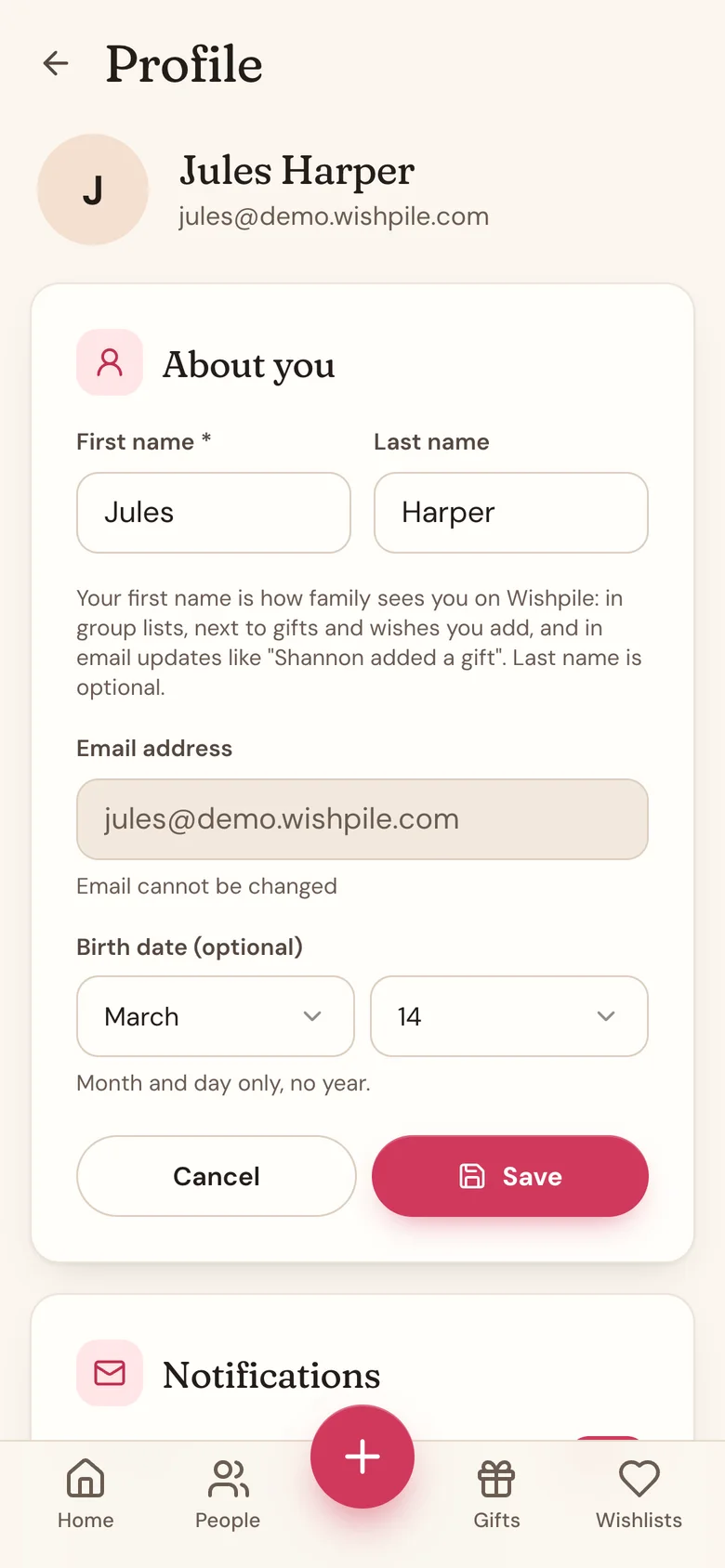
Your name is how other people see you: in wishlist groups, in your household, on wishlists you share, and in invites Wishpile emails for you. It starts as the name you gave when you signed up, or the name on your Google account. If it's empty, people see your email address instead, so Wishpile asks What should your family call you? the next time you open the app. Type your first name and tap Save, or tap Later to be asked again another day.
People you know
The People you know card lists everyone you're connected with on Wishpile: people who joined a group through your link (or whose link you joined), friends who joined through your Share Wishpile link and said yes to connecting, and people in a group with you. You can add any of them to a group in one tap.
To take someone off the list, tap Disconnect next to their name. It works both ways, and it doesn't remove anyone from a group. See Share Wishpile with a friend.
Your Email address is shown but can't be changed. It's the address you sign in with. If you need help with it, tap Contact support in the same menu as Profile settings.
Display
In the Display card:
- Display mode: choose Light, Dark, or System. System follows your phone or computer's own setting.
- Gift tag numbers: switch it on to give each gift a numbered tag, with a Tags view for wrapping and labeling. It's off until you turn it on. See Number your gifts with tags.
- Currency: the currency your budgets and totals are in. Wishpile picks it from your phone's region the first time, so change it here if it guessed wrong. See Add a gift for how prices from shops in other currencies work.
All three save as soon as you pick them. Display mode and Gift tag numbers apply only to the device you're using, so set them again on your other devices. Currency is saved to your account, so it follows you to every device and to ChatGPT or Claude.
Also on your Profile
- Notifications: the Group and Secret Santa emails switch, which covers the daily group activity email, the weekly reminder, and Secret Santa emails. See Emails Wishpile sends, and turning them off.
- Household: create or manage a household. See Create a household with your partner.
Related
Still stuck?
Ask Wishpile and get an answer in seconds, or email support@wishpile.com and a real person will get back to you. Quick answers live in the FAQ.