A household is for the person you give gifts alongside, usually a partner. Once you're both in, you can see and edit each other's gift lists, people, and gifts, and share one budget.
Steps
- Tap your avatar in the top right corner, then tap Profile settings.
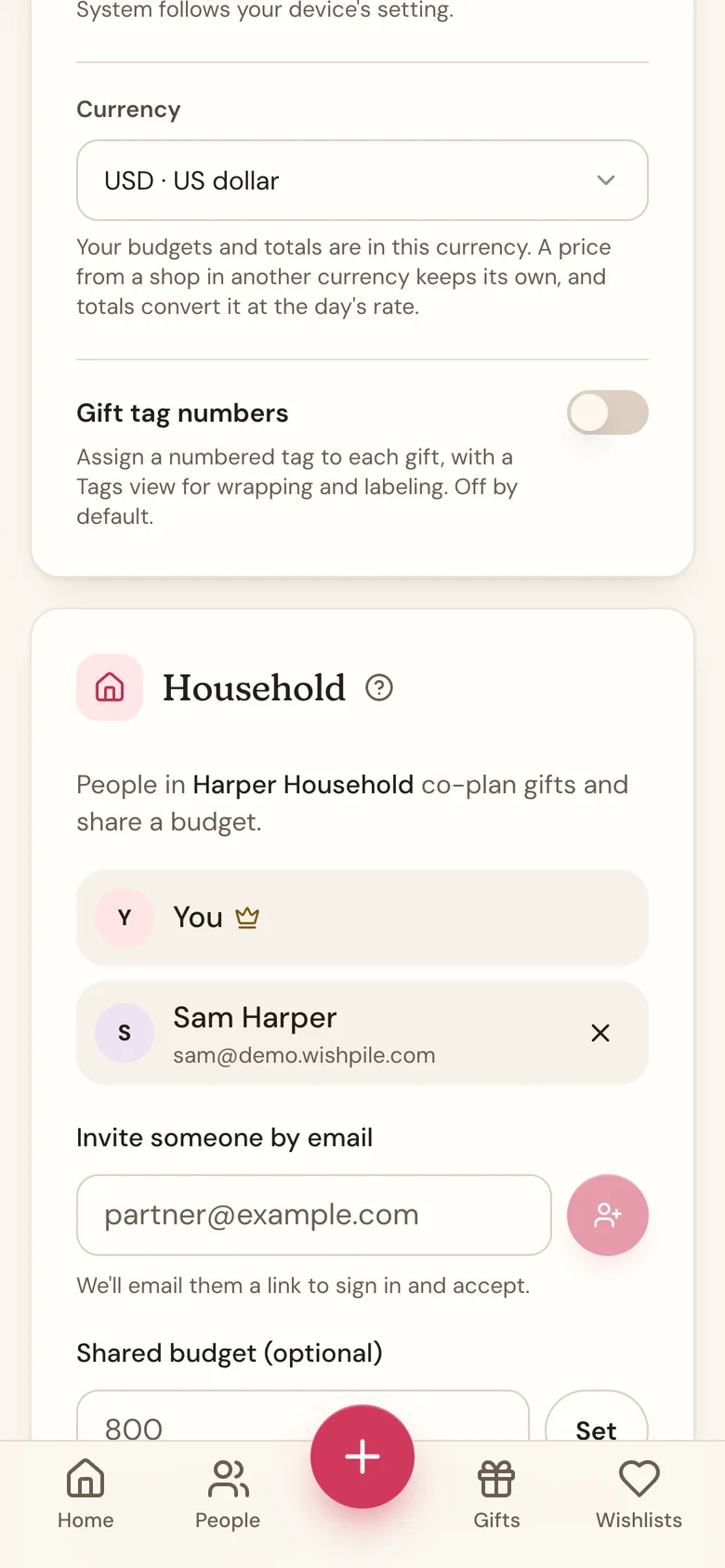
- Scroll down to the Household card. Type a Household name and tap Create.
- Under Invite someone by email, type your partner's email address and tap the button with the person and plus sign next to it.
- Wishpile emails them an invite. They sign in with that same email address, or create an account with it.
- They tap Accept on the Household invite card at the top of Home. The invite also waits in the Household card on their Profile.
You can also invite from the People tab. Scroll to the Household card at the bottom and tap Invite member.
What you share
- Your partner's gift lists show up in your list switcher next to your own, and yours show up in theirs.
- You can both add, edit, and delete people and gifts on any of those lists.
- You can see each other's personal wishlists.
- The household owner can set one budget for the two of you. See Share a household budget.
Gifts you plan for each other are not hidden automatically. Link your partner's entry on your list to them first, so they can't see what you're getting them. See Keep a household member's own gifts hidden.
Good to know
- You can be in one household at a time. To join a different one, leave your current household first.
- Only the person who created the household (marked with a crown) can invite or remove members, and set the shared budget.
- Members show by the name on their Profile. Anyone who hasn't added a name, and anyone whose invite is still pending, shows by email address.
- An invite shows Invite pending until it's accepted. The person being invited needs to confirm their email address before they can accept.
- To leave, tap Leave household at the bottom of the Household card, then confirm. If you created the household, the button says Disband household, and it ends the household for everyone in it and clears the shared budget. Disbanding can't be undone.
- To remove someone or cancel a pending invite, the owner taps the X next to them, then confirms.
- When a household ends, sharing stops right away. You each keep the lists, people, and gifts you added yourself.
Related
Still stuck?
Ask Wishpile and get an answer in seconds, or email support@wishpile.com and a real person will get back to you. Quick answers live in the FAQ.