In a household, you and your partner see each other's gifts. So when your partner is also someone you're buying for, link their entry on your list to their account. Everything you plan for them then disappears from their view.
Steps
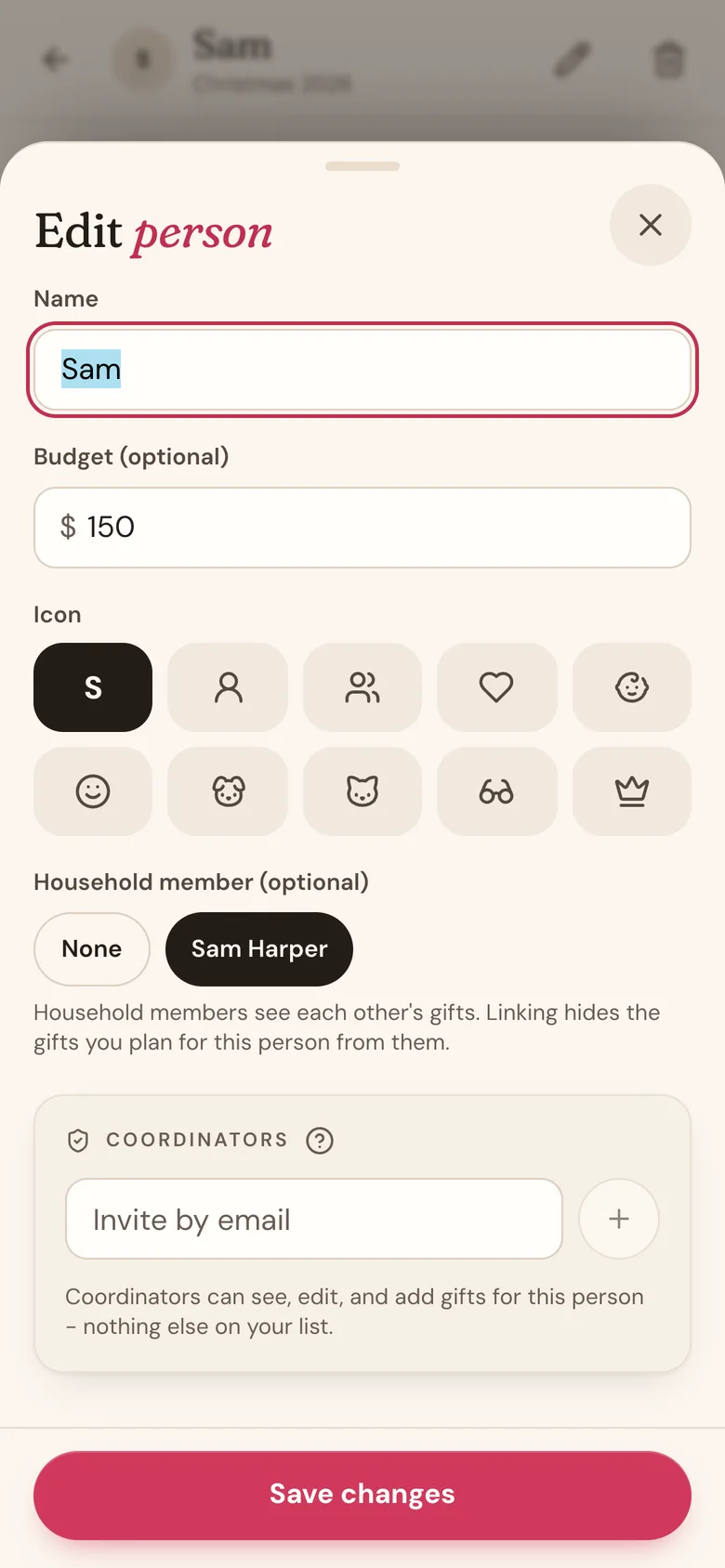
- Tap People in the bottom bar, then tap your partner's name. If they're not on your list yet, add them first.
- Tap the pencil icon at the top of their page.
- Under Household member (optional), tap your partner's name. If they haven't added a name to their Profile, it shows their email address instead.
- Tap Save changes.
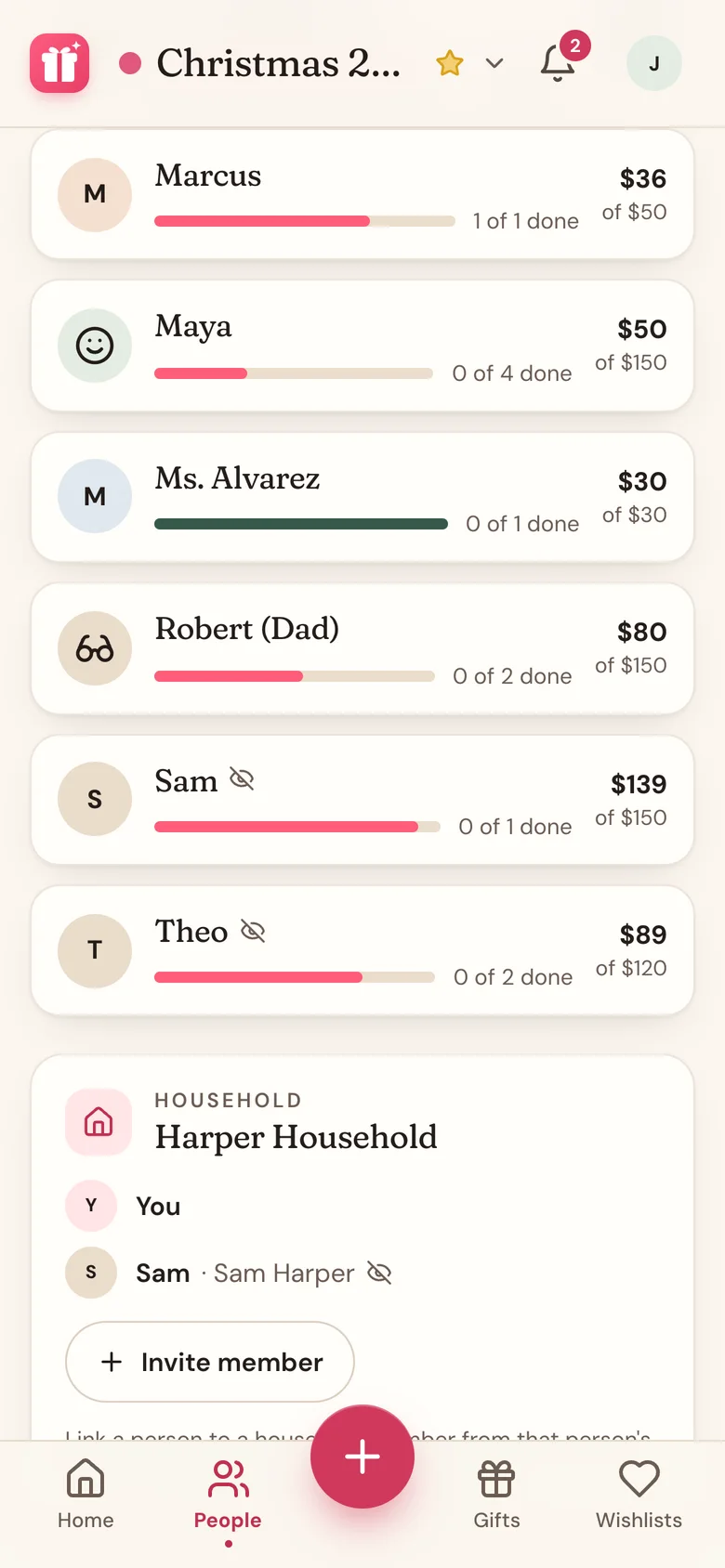
A closed-eye icon now shows next to their name on the People tab. The Household card at the bottom of People also shows who each member is linked to.
What your partner sees
Nothing. Their entry disappears from your list in their view, along with every gift on it and its photos. There's no hint that anything is there, and their reminders leave it out too.
Linking works on gifts you already added, not just new ones. Until you link, though, your partner can see them, so link as soon as you add them.
Linking hides your gifts from them. It doesn't hide their gifts from you. For that, your partner links you on their own list.
Avoid duplicates
When you add a person with the same name as someone already on that list, Wishpile points it out and offers a Go to button with their name. Add gifts to that existing person, so you and your partner keep one entry instead of two.
Good to know
- The Household member (optional) choice only appears when you're in a household with someone.
- To undo a link, pick None and tap Save changes. Your gifts for them become visible to them again right away.
Related
Still stuck?
Ask Wishpile and get an answer in seconds, or email support@wishpile.com and a real person will get back to you. Quick answers live in the FAQ.