Each person on a list is someone you're buying for on that occasion. Adding them gives their gift ideas, budget, and progress a home.
Steps
- Check the name at the top of the screen. People are added to the list you're on, so switch lists first if you need to.
- Tap People in the bottom bar, then tap the + button in the middle of the bottom bar and pick Person. (If the list is empty, you can also tap Add First Person.)
- Type their Name.
- Optional: add a Budget (optional), the amount you plan to spend on them for this occasion.
- Pick an Icon. The first tile, Initial, shows the first letter of their name, and it's picked for you. Or choose an icon like a dog, a cat, or a crown.
- Tap Add person.
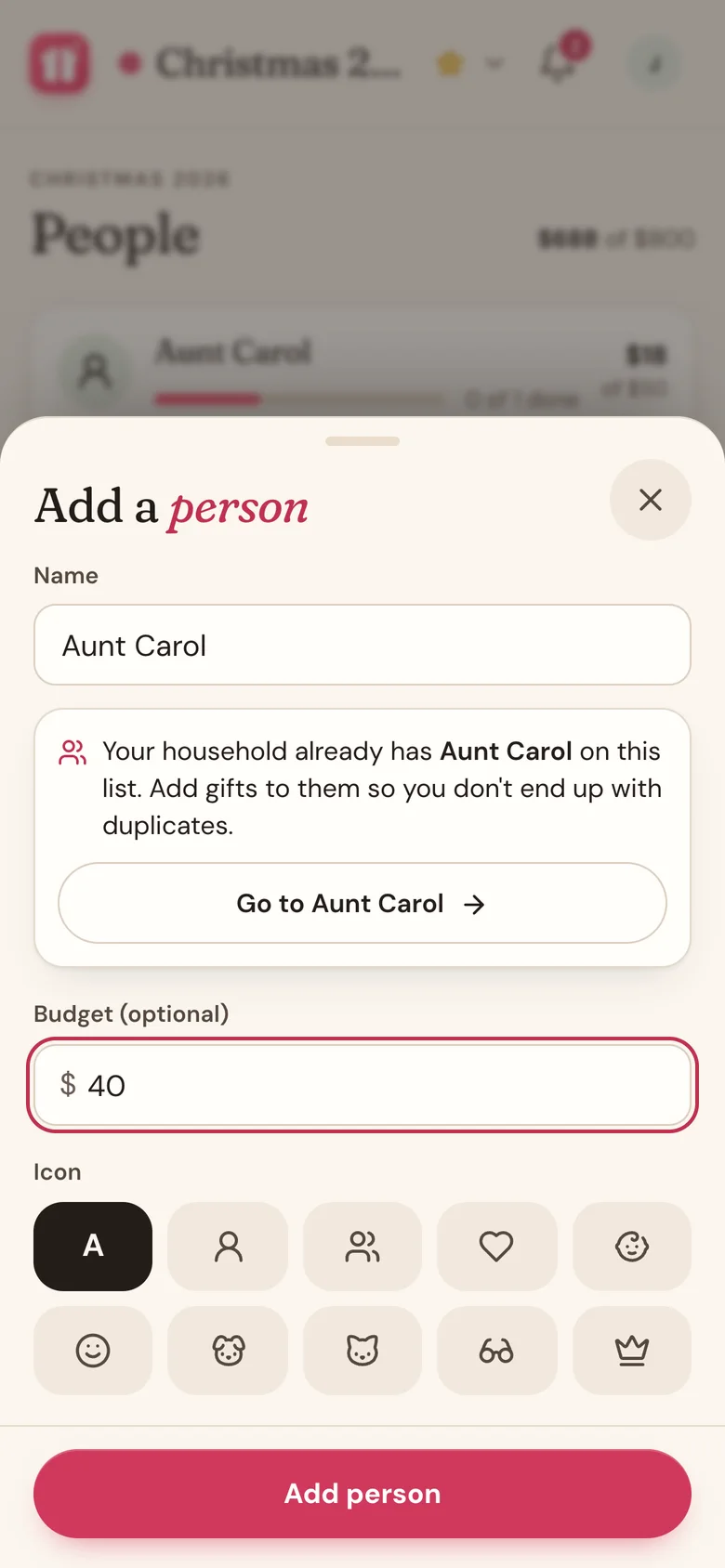
Already on the list?
If someone with that name is already on this list, Wishpile tells you, for example "You already have Maya on this list." If you share gift planning with a partner, it reads "Your household already has Maya on this list," since they may have added her. Tap Go to Maya to add your gifts there, so you don't end up with two of the same person.
Good to know
- To change someone's name, budget, or icon later, open their page and tap the pencil icon. Then tap Save changes.
- A person belongs to one list. If you're buying for Maya at Christmas and on her birthday, add her to both lists.
- Their budget only counts gifts that are Bought, Wrapped, or Done. Ideas don't use it up.
Related
Still stuck?
Ask Wishpile and get an answer in seconds, or email support@wishpile.com and a real person will get back to you. Quick answers live in the FAQ.