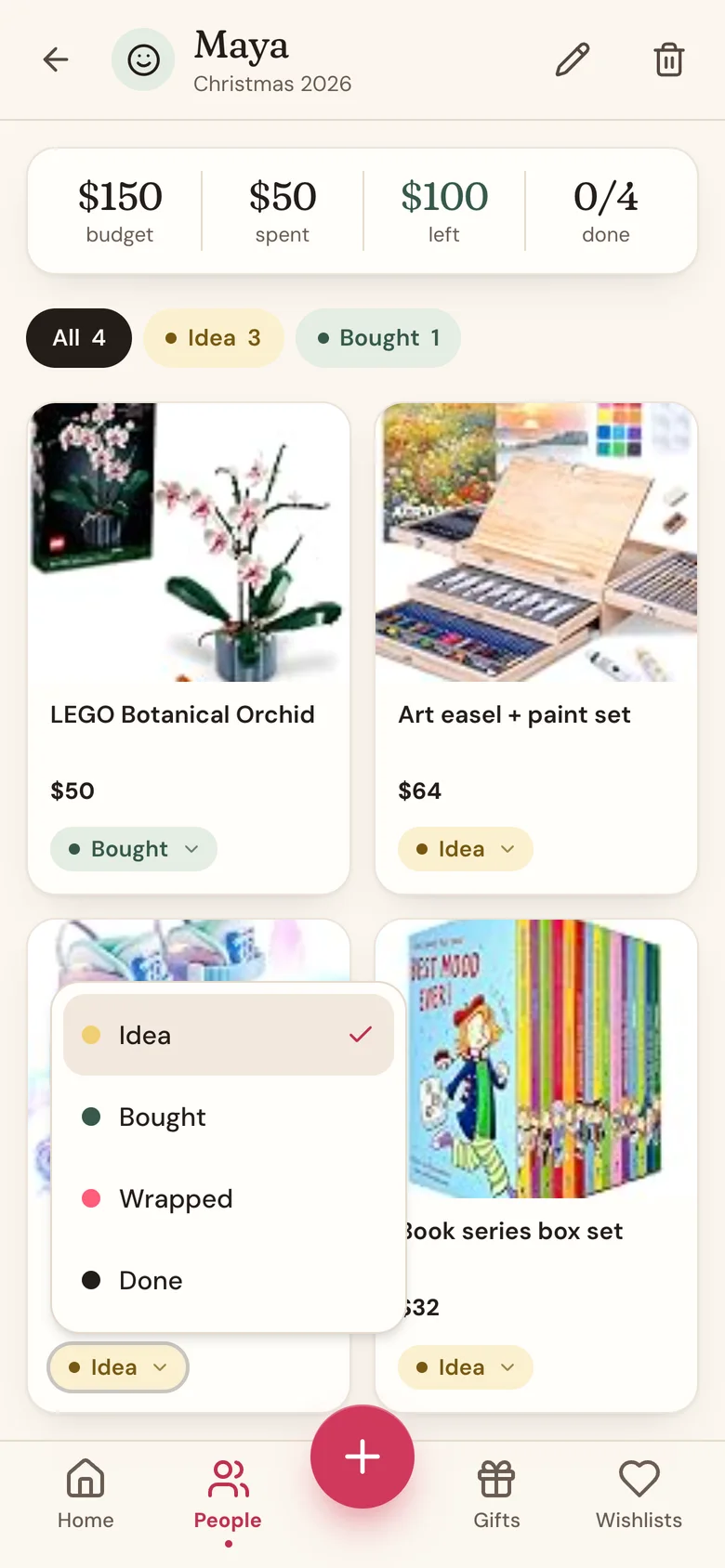
Every gift sits in one of four stages, so you always know what's still an idea and what's ready to give.
- Idea: a gift you're still considering.
- Bought: you've bought it.
- Wrapped: bought and wrapped, ready to give.
- Done: given. All finished.
You can jump straight to any stage, skip one, or move a gift back.
Steps
- Open the person's page: tap People in the bottom bar, then tap their name.
- Tap the stage pill on the gift's card, for example Idea.
- Pick the new stage. It saves right away.
From inside the gift
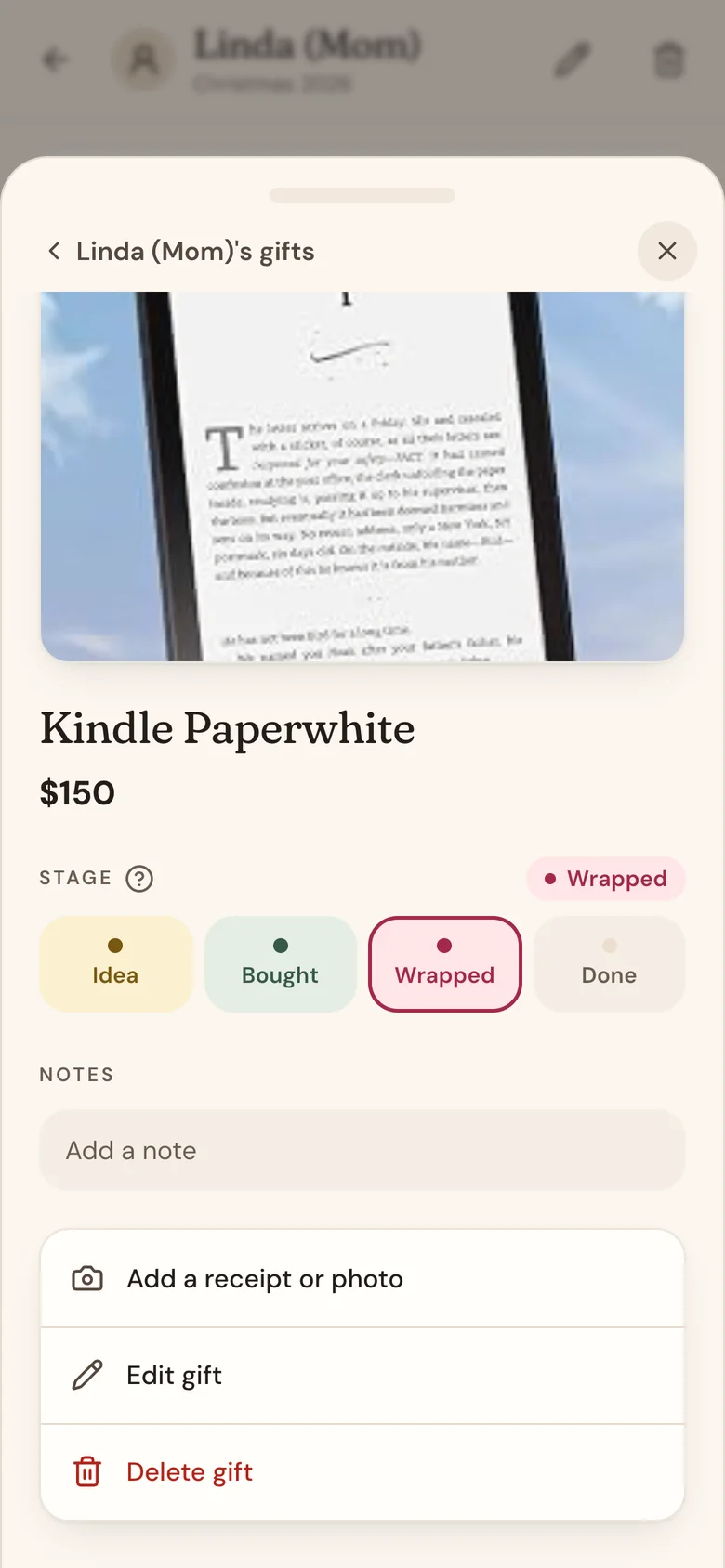
Tap anywhere else on a gift's card to open it. Under Stage, tap Idea, Bought, Wrapped, or Done. Every stage up to the current one fills in, so you can see how far along it is.
You can also pick the Stage when you add or edit a gift.
See where things stand
- On a person's page, the pills at the top filter their gifts: All, plus one for each stage that has gifts in it, with a count. Tap one to see only those gifts.
- On Home, the Gift progress card shows one bar split by stage, how many gifts are done, and a row for each person. Tap a person to open their page.
- In the Gifts tab, switch to List and sort by Progress.
What counts as spent
A gift counts toward "spent" and the budget once it's Bought, Wrapped, or Done. Ideas never do. If others chipped in on a gift, only your share counts as your spending.
Good to know
- Giving a gift a tag number marks it Done when you save it.
- Moving a gift back to Idea takes it out of your spent total again.
Related
Still stuck?
Ask Wishpile and get an answer in seconds, or email support@wishpile.com and a real person will get back to you. Quick answers live in the FAQ.