Every gift you're thinking about, buying, or wrapping lives on the person it's for. The fastest way to add one is to paste a link from the store's website.
Steps
- Open the person's page: tap People in the bottom bar, then tap their name.
- Tap the + button in the middle of the bottom bar, then Gift for their name at the top. (If they have no gifts yet, you can also tap Add First Gift.)
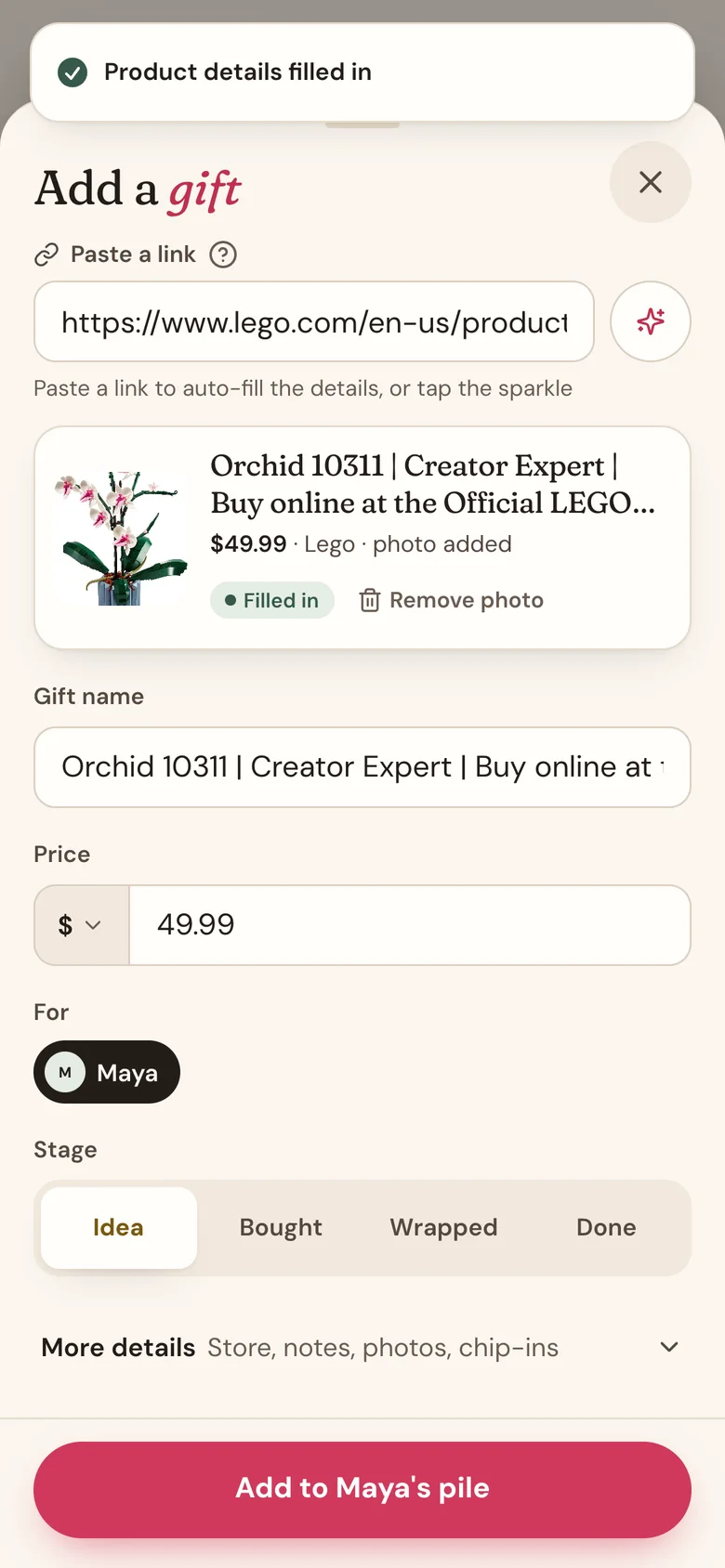
- In Paste a link, paste a product link from any store's website. Wishpile looks it up and fills in the Gift name, Price, store, and a photo. It takes a few seconds.
- Check the preview card and fix anything that doesn't look right.
- Pick a Stage: Idea if you're still deciding, Bought if it's already in the cart.
- Tap the save button at the bottom. It names the person, for example Add to Maya's pile.
No link? Type it in
Skip the link and type a Gift name. That's the only thing you need. Add a Price if you know it, so it counts toward the person's budget.
Tap More details to add a store, notes like a size or color, photos, and who chipped in.
Prices in other currencies
A link from a shop in another country keeps that shop's currency, so a price in pounds shows as £45, not $45. To change a price's currency yourself, tap the symbol to the left of Price and pick one.
Budgets and totals stay in your own currency (set it in Profile settings). A price in another currency is converted at the day's exchange rate, and the total says about when that happens.
Good to know
- If you typed a detail yourself, the link lookup won't overwrite it.
- Pasted a link but nothing filled in? Tap the sparkle button next to the link to try again. Some stores block lookups; if that happens, type the details in.
- Photos can be added once the gift is saved. Tap Save & add photos under More details to save and keep going.
- The gift only counts toward "spent" once it's Bought, Wrapped, or Done.
Related
Still stuck?
Ask Wishpile and get an answer in seconds, or email support@wishpile.com and a real person will get back to you. Quick answers live in the FAQ.