Splitting a big gift with siblings, or did Grandma send money toward the bike? Add them under Chipped in by and Wishpile keeps track of who put in what.
Steps
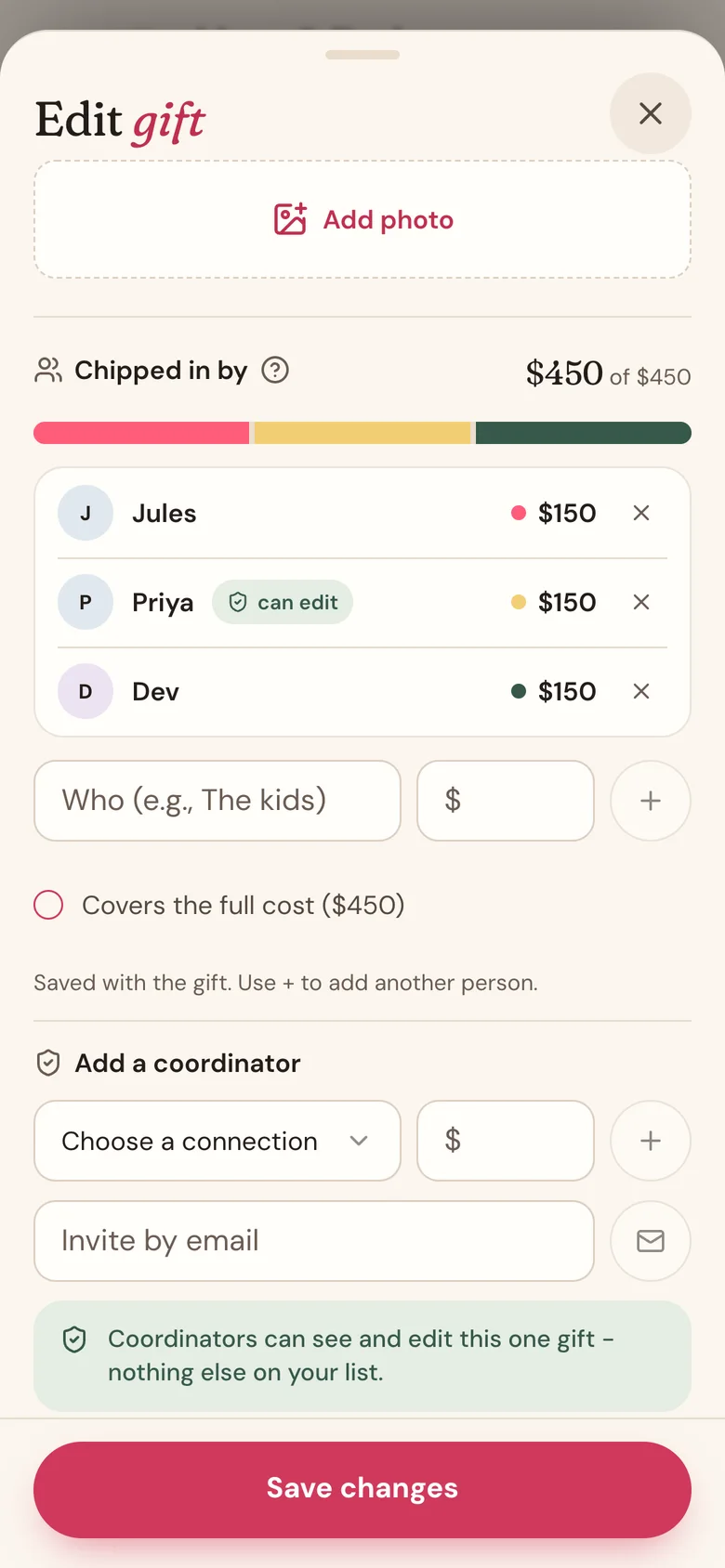
- On the person's page, tap the gift, then tap Edit gift. Adding a new gift? Tap More details to find the same section.
- Scroll to Chipped in by.
- Type a name in the Who box, and what they put in under $. The amount is optional.
- Paying for the whole thing? Tick Covers the full cost instead of typing an amount.
- To add another person, tap + and fill in the next line.
- Tap Save changes.
How it adds up
The bar at the top of Chipped in by has a colored piece for each person. The empty part is what nobody has covered yet.
Once the gift is Bought, Wrapped, or Done, only your share counts toward what you've spent: the price minus what everyone else chipped in. So don't add yourself. Whatever's left over is yours.
Chip-ins are in the same currency as the gift's price. If the gift is priced in pounds, type each person's share in pounds too.
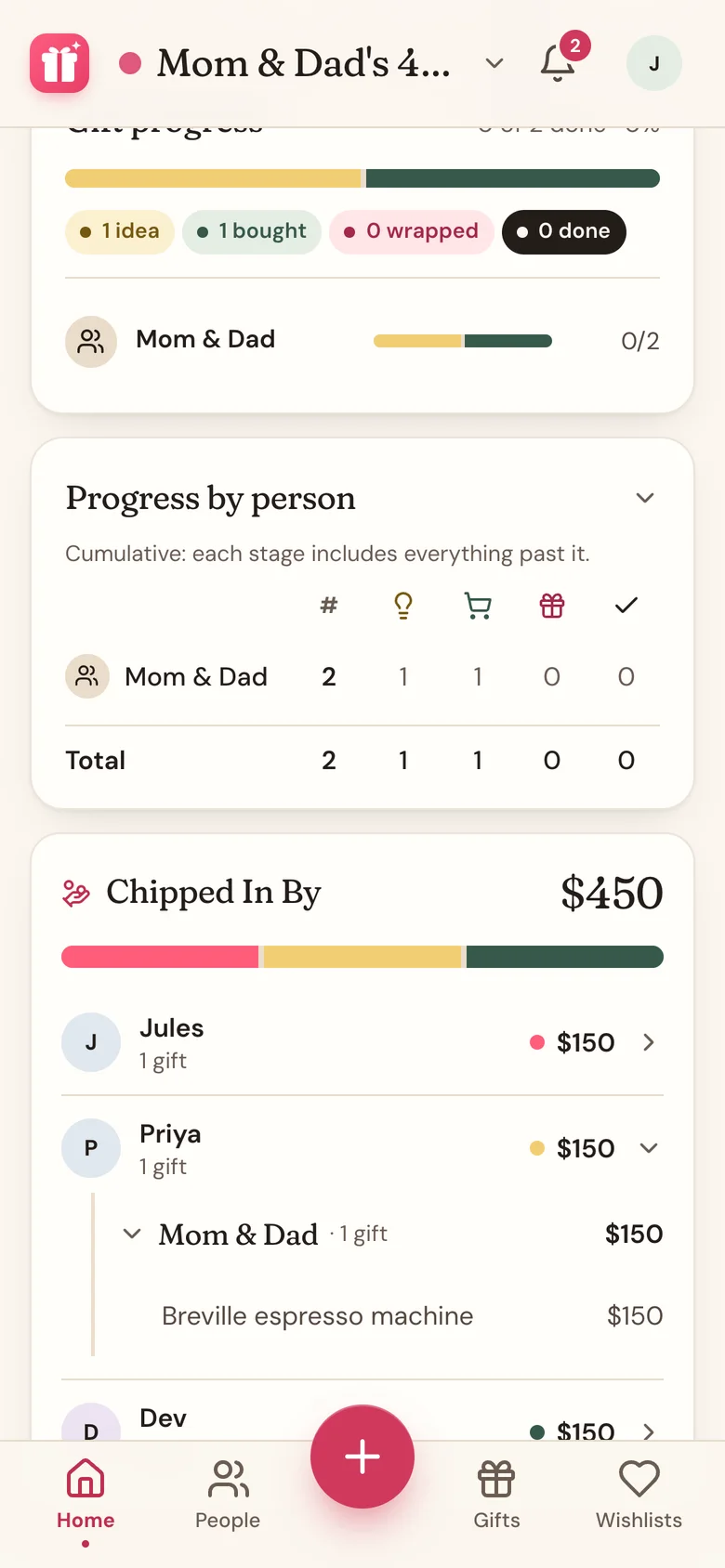
On Home, the Chipped In By card adds up each person across the whole list. Tap a name to see which gifts they helped with, and tap a gift to open that person's page.
Good to know
- Names you've used before show up as buttons under the Who field. Tap one to reuse it, so "Grandma" stays one person instead of three spellings.
- Anything you typed but didn't add with + is still saved when you save the gift.
- Close the sheet without saving and the chip-ins you just added are dropped.
- The Gifts tab lists who chipped in under each gift in the Grouped view.
- Chip-ins are only a record. They don't let anyone see or change the gift. To bring someone in to help, make them a coordinator.
- The eye icon on Home's Budget card hides the Chipped In By amounts too.
Related
Still stuck?
Ask Wishpile and get an answer in seconds, or email support@wishpile.com and a real person will get back to you. Quick answers live in the FAQ.