Want your sister to handle the anniversary gift with you? Make her a coordinator. She can see and edit that gift, or every gift for one person, and nothing else on your list.
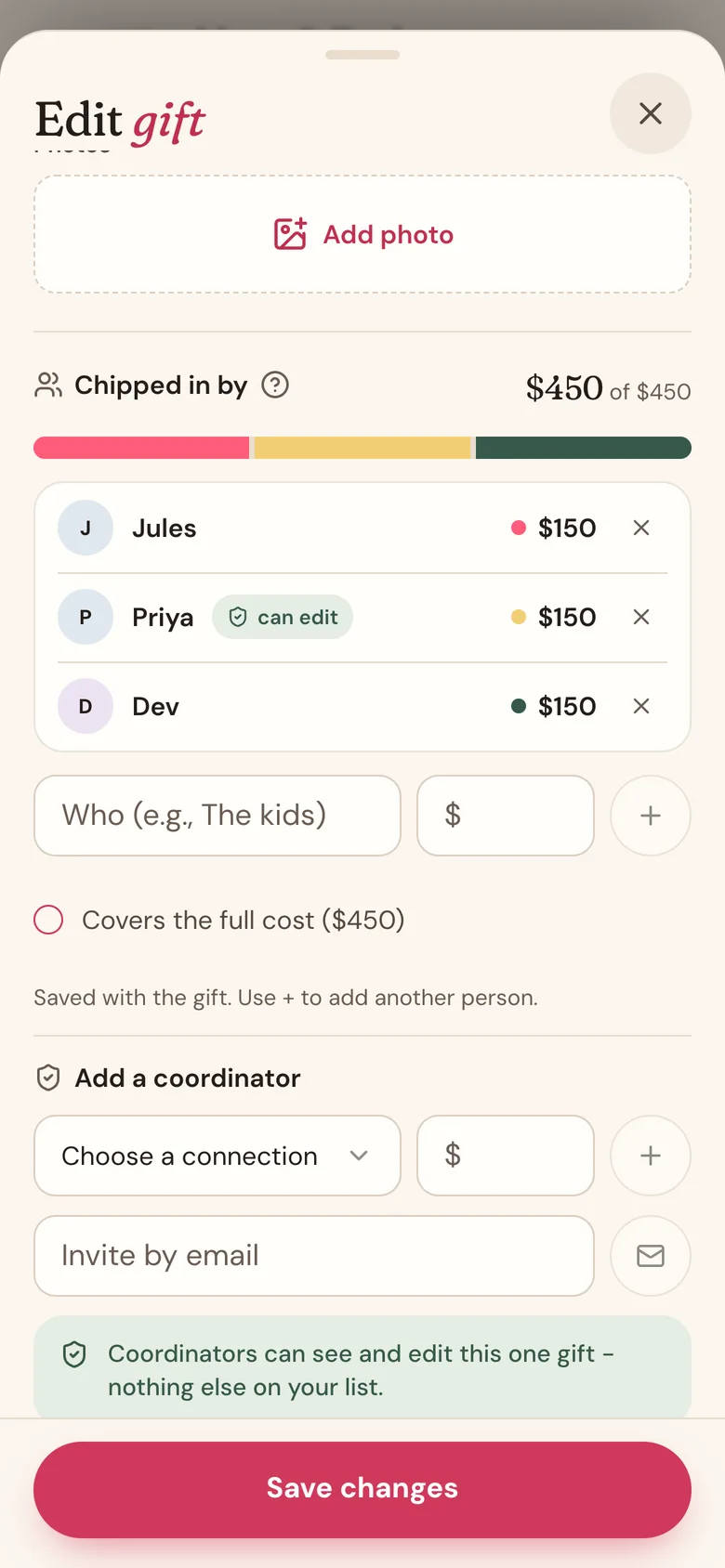
Help with one gift
- On the person's page, tap the gift, then tap Edit gift.
- Scroll to Add a coordinator.
- Pick someone from Choose a connection. You can add what they're putting in under $. Then tap + or Save changes.
- Not in the list? Type their email in Invite by email and tap the envelope button. The gift has to be saved before you can invite by email.
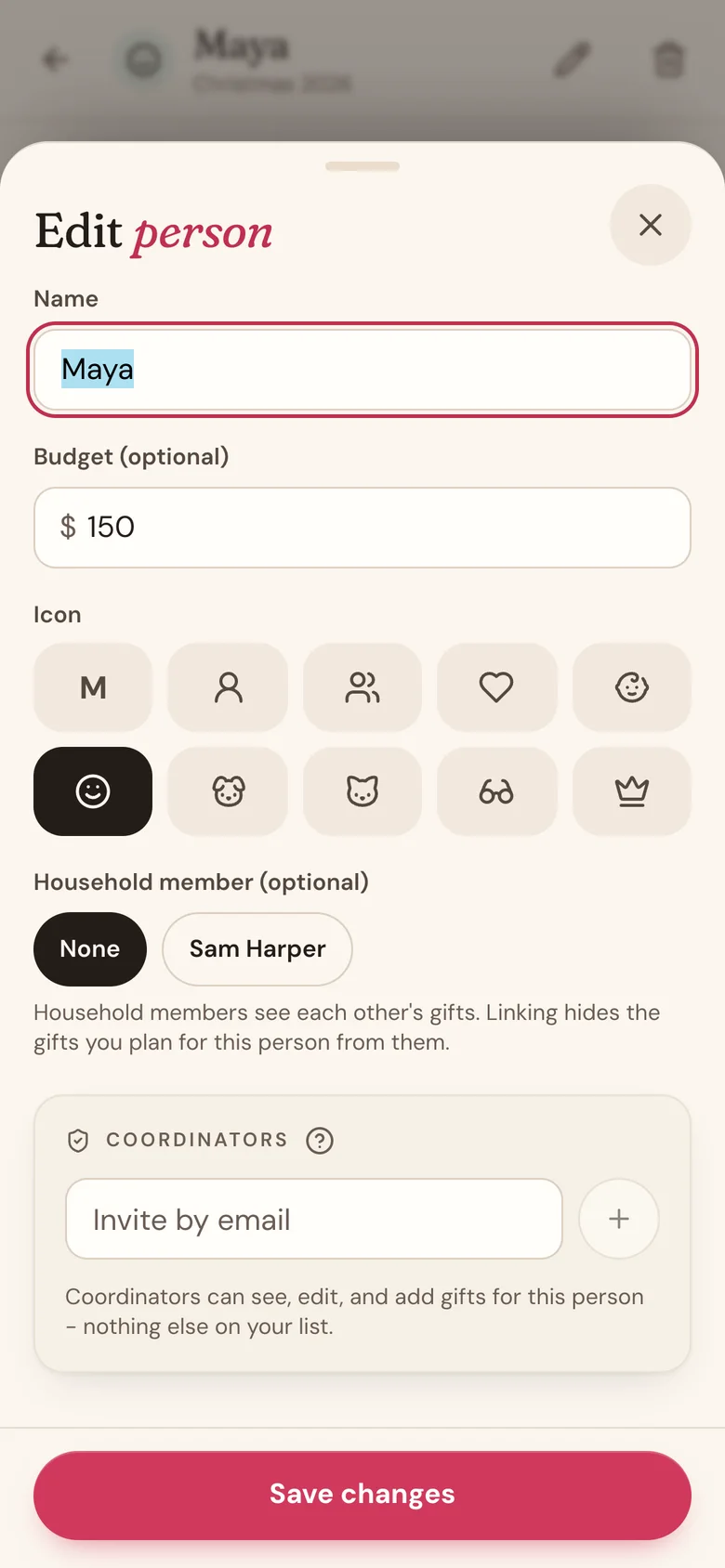
Help with everything for one person
- On the person's page, tap the pencil icon at the top right.
- Scroll to Coordinators.
- Type their email in Invite by email and tap +. The invite goes out right away.
They show as awaiting sign-in until they sign in, then helping.
What coordinators can do
- One gift: see it and edit it, including the stage, price, notes, and chip-ins. They can also delete it.
- One person: everything above for all of that person's gifts, plus add new gifts. Gifts they add land on your list and count toward your budget.
- They never see your other people, gifts, or lists.
Good to know
- Choose a connection lists people with a Wishpile account who share your household or one of your groups.
- An email invite only works once they sign in with that exact address. No account yet? They can create one with it.
- Only the person who added the gift can invite by email. Coordinators and household members don't see the email box on someone else's gift.
- The person the gift is for can never be a coordinator. They're left out of the picker, and an invite sent to them never takes effect, so the surprise is safe.
- A helper's first name shows on that person's card on People, so you can see at a glance who's helping.
- To remove someone, tap the X next to their name or email. Their access ends right away.
Related
Still stuck?
Ask Wishpile and get an answer in seconds, or email support@wishpile.com and a real person will get back to you. Quick answers live in the FAQ.