Same people every Christmas? Clone last year's list and start with everyone already in place. You choose who comes along and which gifts. Your old list stays exactly as it was.
Steps
- On Home or People, tap the list name at the top and pick the list you want to copy, for example Christmas 2025.
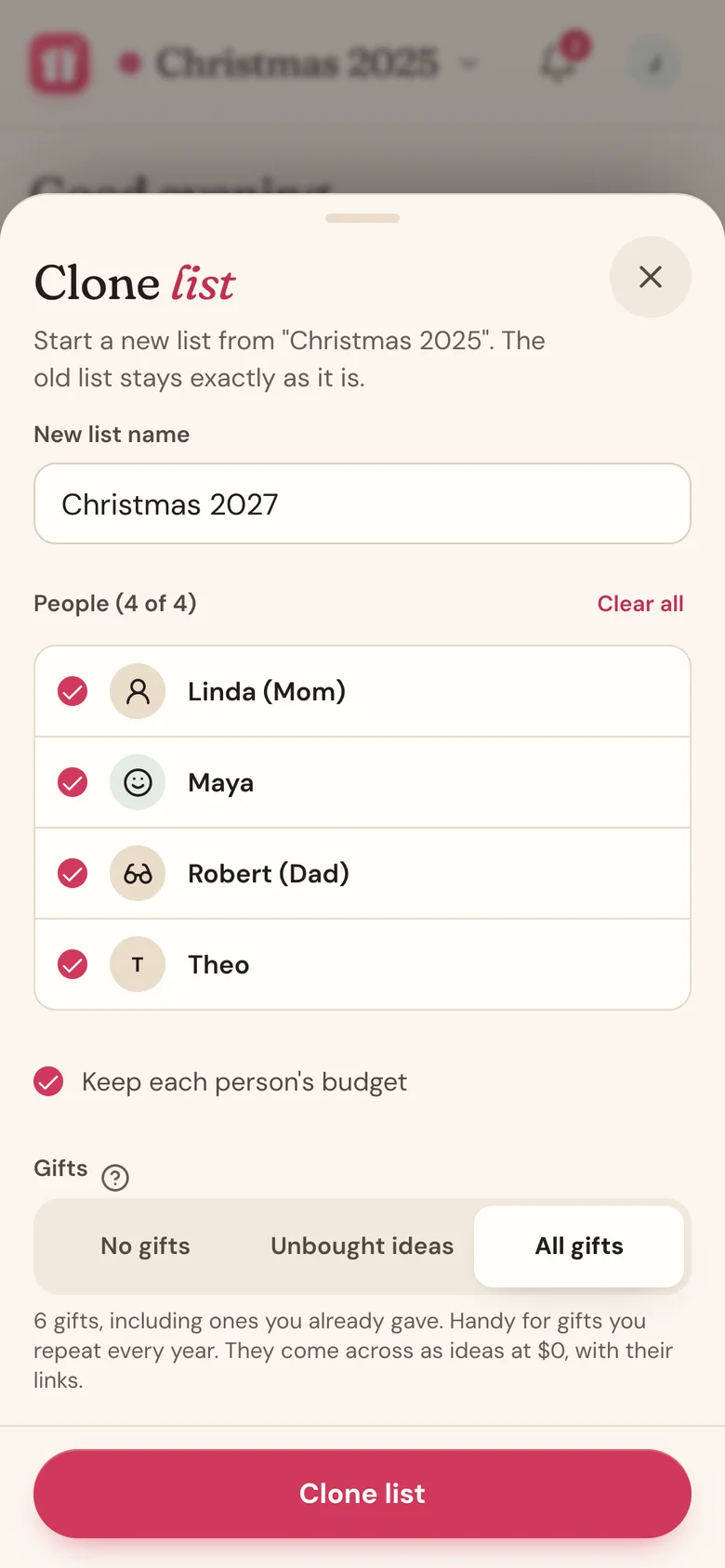
- Tap the list name again, then tap Clone list.
- In New list name, type a name for the new list. It starts as the old name with "(Copy)" on the end.
- Under People, everyone is checked. Uncheck anyone who isn't on this year's list, or tap Clear all and pick a few.
- Leave Keep each person's budget on to carry budgets over, or turn it off to set new ones.
- Under Gifts, pick what comes along:
- No gifts: everyone starts with a clean slate.
- Unbought ideas: only the ideas you never got to. Gifts you bought stay in the old list. This is the default.
- All gifts: every gift, including ones you already gave. Handy if your family gives the same things every year.
- Tap Clone list. Wishpile opens the new list.
- Tap the list name, then Edit list to add a Countdown date and pick a color.
What comes across
- Copied: the people you picked, with their name, icon, and household member link, plus their budgets if you kept them. The gifts you chose come with their name, notes, link, and store.
- Starts fresh: every copied gift is an Idea with no price, so nothing counts as bought or spent yet.
- Left behind: photos and receipts, tag numbers, chip-ins, coordinators, and wishlists shown under a person. The countdown date is empty and the color is back to the default.
Good to know
- Want to see what someone got last year? Open the old list. Cloning never changes it.
- Done with the old list? Archive it to tidy up. You can still clone it from Archived lists.
- Someone on the list in your household? They stay linked in the new list, so the gifts you plan for them stay hidden from them.
- The new list isn't your default. To make it the one Wishpile opens to, tap the list name and choose Set as default.
- Keep the old list. It's a handy record of what everyone got.
Related
Still stuck?
Ask Wishpile and get an answer in seconds, or email support@wishpile.com and a real person will get back to you. Quick answers live in the FAQ.