Wrapping a pile of gifts that all look the same? Give each one a number, write it on the tag, and Wishpile remembers what's inside. Tag numbers are off until you turn them on.
Steps
- Tap your picture at the top right, then Profile settings.
- Under Display, turn on Gift tag numbers.
- Open a gift you've wrapped: tap it on the person's page, then tap Edit gift.
- Tap the Tag # field next to the price. Wishpile fills in the next free number on this list. Change it if you like (up to 3 characters).
- Tap Save changes, and write the same number on the gift's tag.
Tagging a gift marks it Done. A tag number means it's wrapped, labeled, and ready to give, so the first time you save a gift with a number, its stage moves to Done. After that the stage is yours to change, and saving again won't move it back.
The Tags view
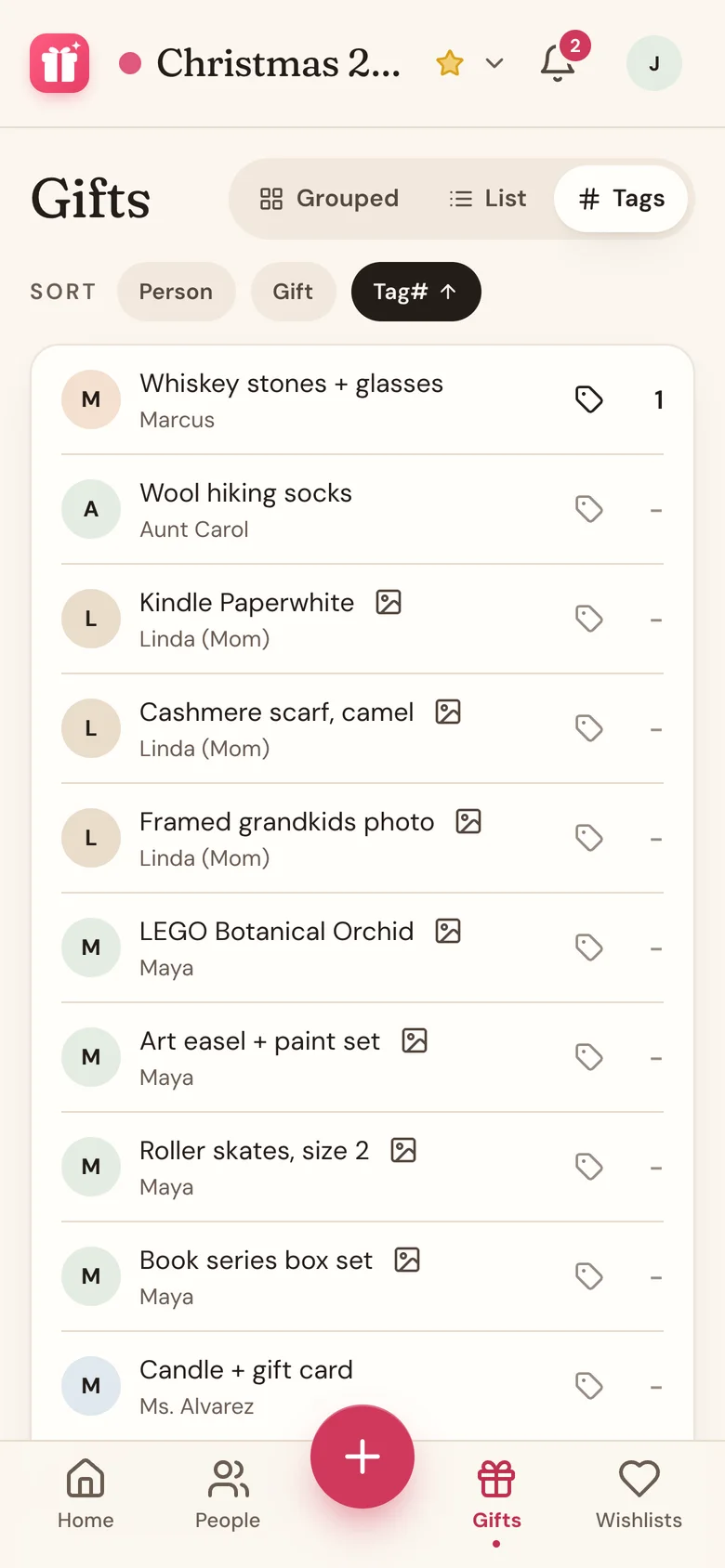
With tag numbers on, the Gifts tab gets a Tags view. It lists every gift on the list with its number, and a dash for gifts that don't have one yet.
- Sort by Person, Gift, or Tag#.
- Tap a gift without a number to give it the next one, then tap Save changes.
- Tap a gift's name to open that person's page.
Good to know
- The switch is saved on this device. Turn it on again on your other phone or computer to see tags there.
- Numbers count up across the whole list, not per person, so no two boxes share a number.
- Turning the switch off hides the field and the Tags view. Your numbers are kept for when you turn it back on.
- Tag numbers show in the gift's details, in the Chipped In By card on Home, and in the Tag Number column of Export to CSV.
Related
Still stuck?
Ask Wishpile and get an answer in seconds, or email support@wishpile.com and a real person will get back to you. Quick answers live in the FAQ.