Once an occasion is over, archive its list. It drops out of your way, but everything in it is kept: who you shopped for, what they got, and what you spent. Come back any time to look, or clone it to start next year.
Archive a list
- On Home or People, tap the list name at the top and pick the list you're done with, for example Christmas 2025.
- Tap the list name again, then tap Archive followed by the list's name, for example Archive Christmas 2025.
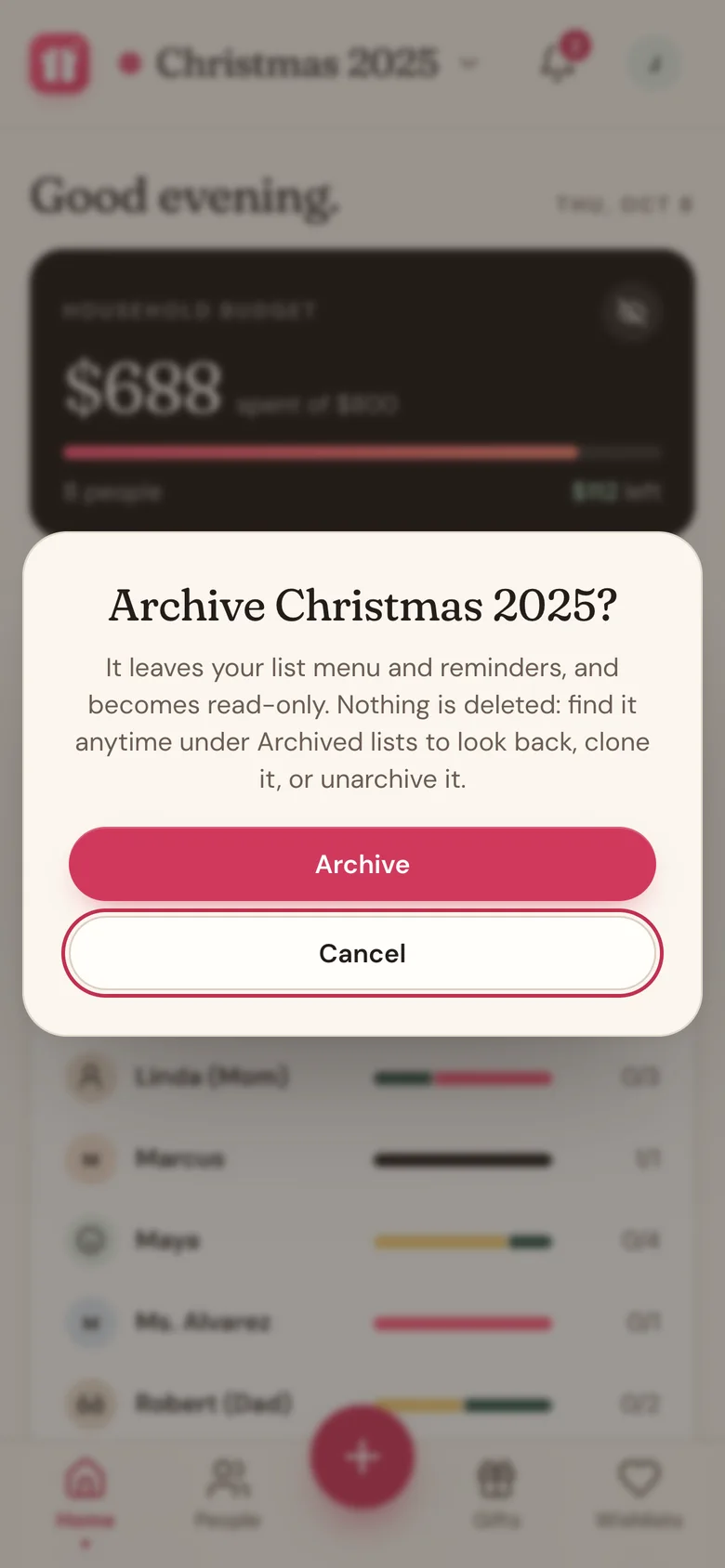
- Wishpile asks Archive Christmas 2025? Tap Archive.
Wishpile switches you to another list. Changed your mind? Tap Undo on the message that pops up, or unarchive it later.
Wishpile offers when the time comes
About a month after a list's countdown date, Home shows a card like Christmas 2025 is over:
- Archive puts the list away.
- Clone for next year starts a new list from it. You pick who comes along and which gifts. See Reuse last year's list.
- Not now hides the card for that list for good. You can still archive it yourself from the list menu.
If it's your only list, the card asks you to clone it first, so you always have a list to plan in.
Find an archived list
- Tap the list name at the top.
- Tap Archived lists, just above New list at the bottom of the menu.
- Each archived list has three buttons:
- Open shows the list, read-only.
- Clone starts a new list from it.
- Unarchive brings it back to My lists.
What "read-only" means
An open archived list shows a note at the top: Archived list. You can see every person, gift, price, note, photo, and link, but you can't add, edit, delete, or change a gift's stage. To make changes, tap Unarchive in that note or in the list menu.
Good to know
- Archived lists don't show up in reminders, in the bell, or when you pick a person for a wishlist or a group gift.
- An archived list can't be your default. If you archive your default list, your newest other list becomes the default.
- You can't archive your only list. Make a new list or clone this one first.
- In a household, archiving a shared list archives it for both of you.
- Archiving never deletes anything. To remove a list for good, unarchive it, then use Edit list and Delete list.
Related
Still stuck?
Ask Wishpile and get an answer in seconds, or email support@wishpile.com and a real person will get back to you. Quick answers live in the FAQ.