The bell at the top of every screen collects nudges from all your gift lists, so nothing slips before the big day. It also shows what's new in Wishpile.
What each reminder means
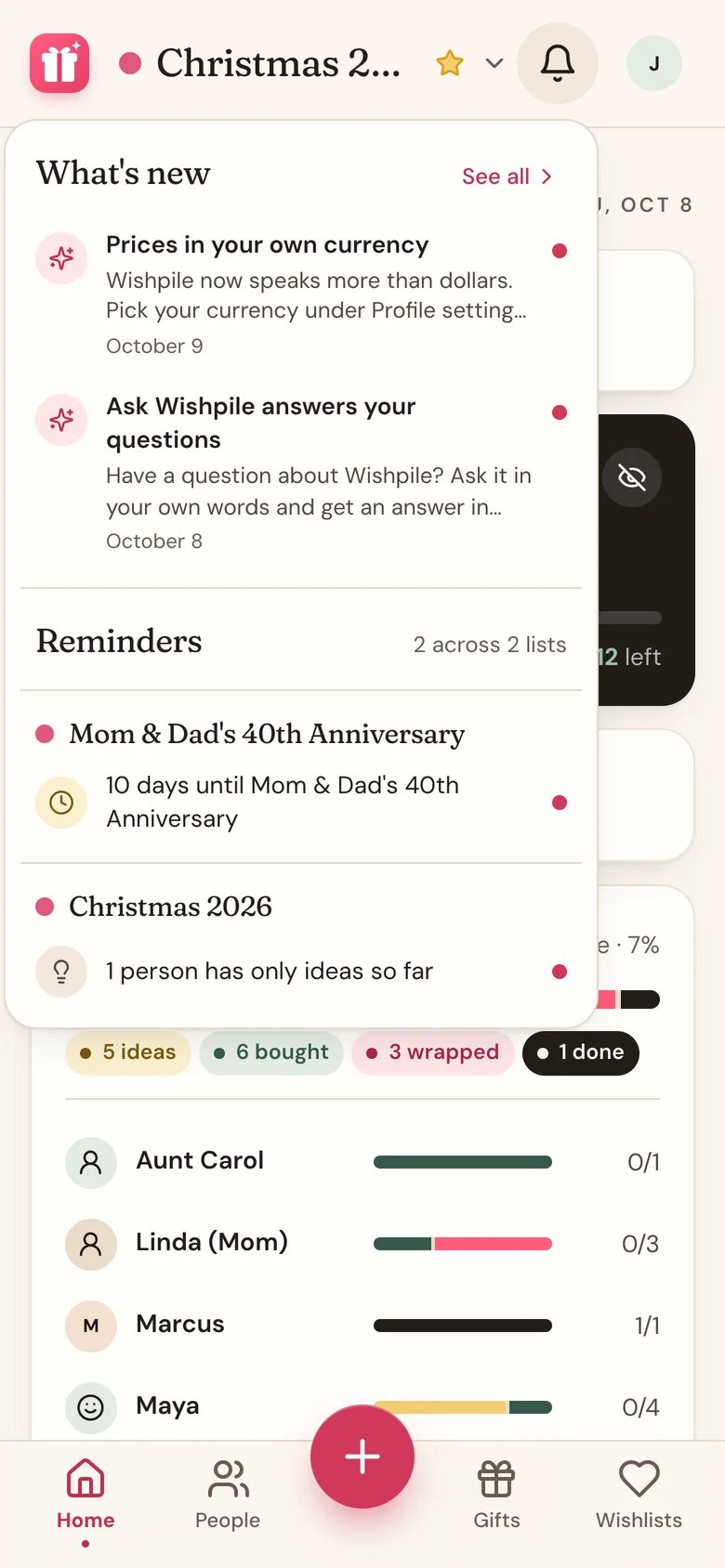
Tap the bell to see every current reminder, grouped by list.
- 12 days until Christmas 2026: the list's date is two weeks away or less. On the day itself it says It's today!
- 2 people have no gift yet: someone on the list has no gifts at all.
- 1 person has only ideas so far: every gift for them is still at Idea.
- 1 person is over budget: what you've spent on them (Bought, Wrapped, or Done) is more than their budget.
- Over your household budget by $40: shown at the top when you're in a household and you've gone past your shared budget.
- A Secret Santa exchange gets a countdown too, once it's two weeks away or less.
- Your Secret Santa sent you a message or Alex replied to you: there's an unread Secret Santa message waiting. It goes away once you open the conversation.
If you're in a household, your partner's lists show up here too.
The red number
The red number on the bell counts reminders that are new since you last opened it. Opening the bell clears it, and the new ones get a dot so you can spot them.
A reminder counts as new again if it gets worse (say, one person without a gift becomes two), or when the list's date moves within 30, 14, and then 7 days.
What's new
The newest features in Wishpile show under What's new in the bell. When there's one you haven't seen, the bell gets a small red dot (or the red number, if a reminder is new too), and the news sits above your reminders until you've opened the bell. Tap an item to try it, or See all for the full What's new page.
Which news you've seen is remembered on your account, so opening the bell on your phone clears the dot on your computer too.
Tapping a reminder
Tap a reminder to jump to the right place: the People tab for missing gifts and budgets, the Gifts tab for dates and ideas, Home for the household budget, and the exchange itself for Secret Santa (messages open straight to the conversation).
Good to know
- There's no dismiss button. Reminders clear themselves once you fix what they're about, like adding a gift.
- Reminders you've already seen are remembered on each device, so your phone and computer each keep their own count.
- Your own entry on your partner's list is never counted, so a reminder can't hint at a gift meant for you.
Related
Still stuck?
Ask Wishpile and get an answer in seconds, or email support@wishpile.com and a real person will get back to you. Quick answers live in the FAQ.