Your Share Wishpile link is yours alone. Friends who sign up through it are connected to you, so the next time you start a group or a Secret Santa you can add them with one tap instead of typing their email.
Steps
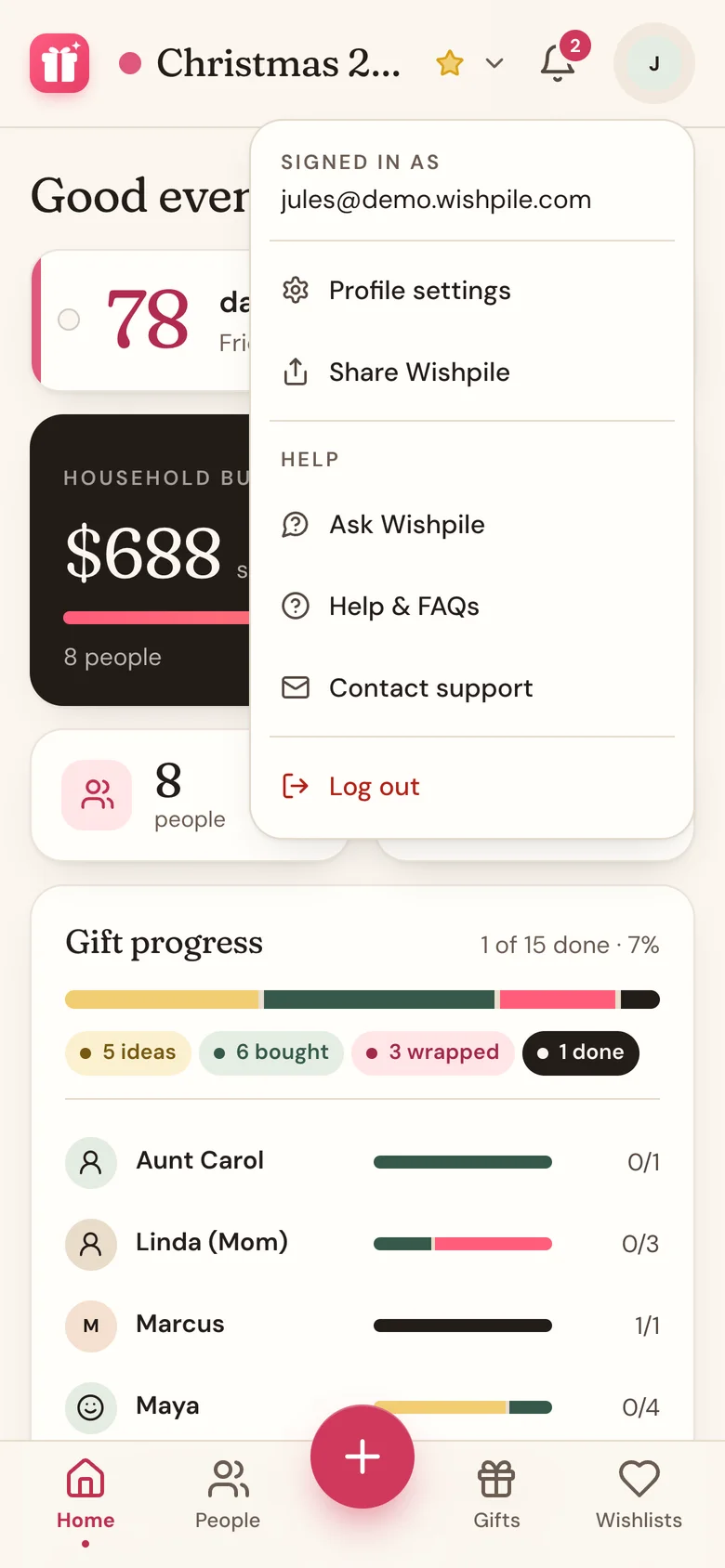
- Tap your avatar in the top right corner.
- Tap Share Wishpile.
- Pick how to send it: a text, an email, or any app on your phone. On a computer the link is copied, ready to paste.
What your friend sees
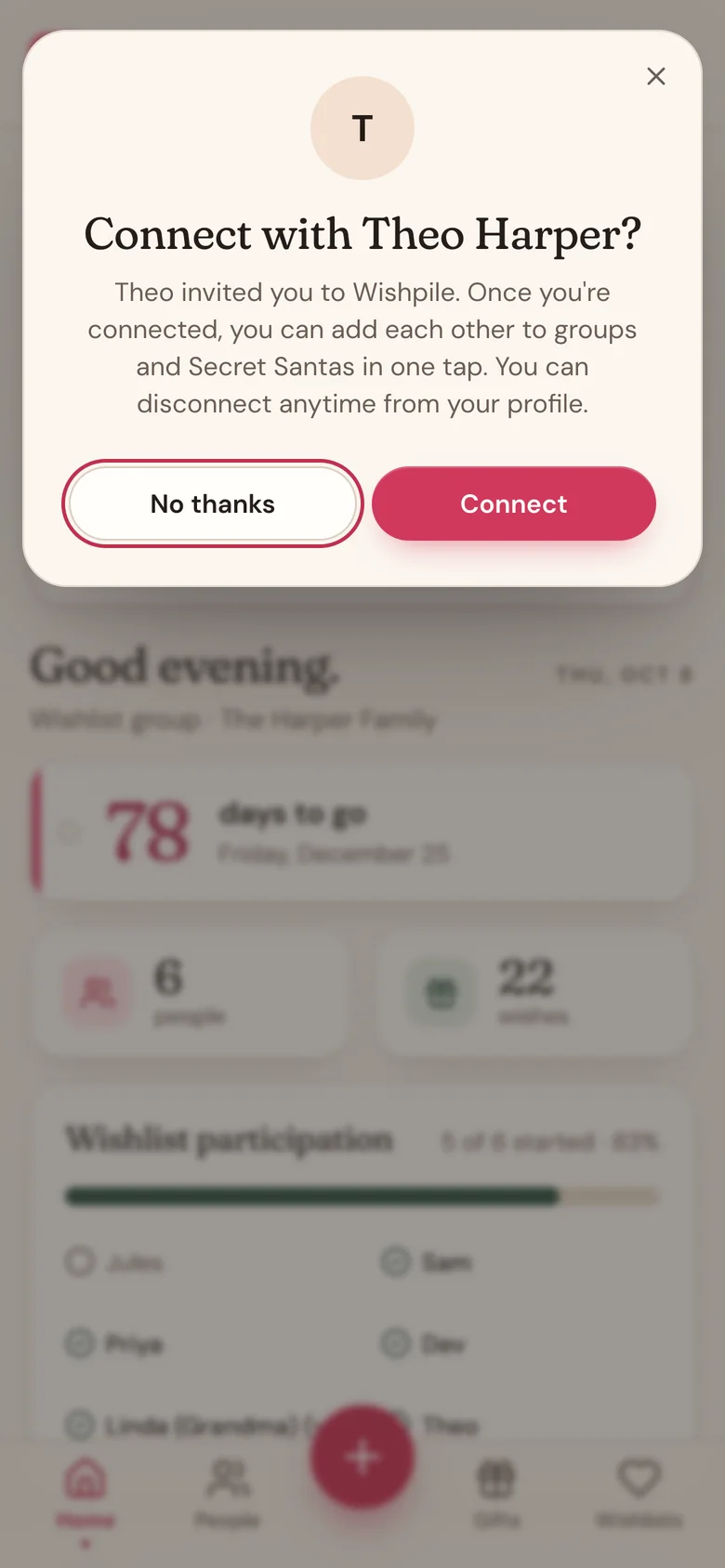
They sign up free from your link. The first time they open the app, Wishpile asks Connect with you. A link can travel further than you meant, so nothing is shared until they say yes.
- Connect: you can add each other to groups and Secret Santas in one tap.
- No thanks: you're not connected, and they won't be asked again.
When they join
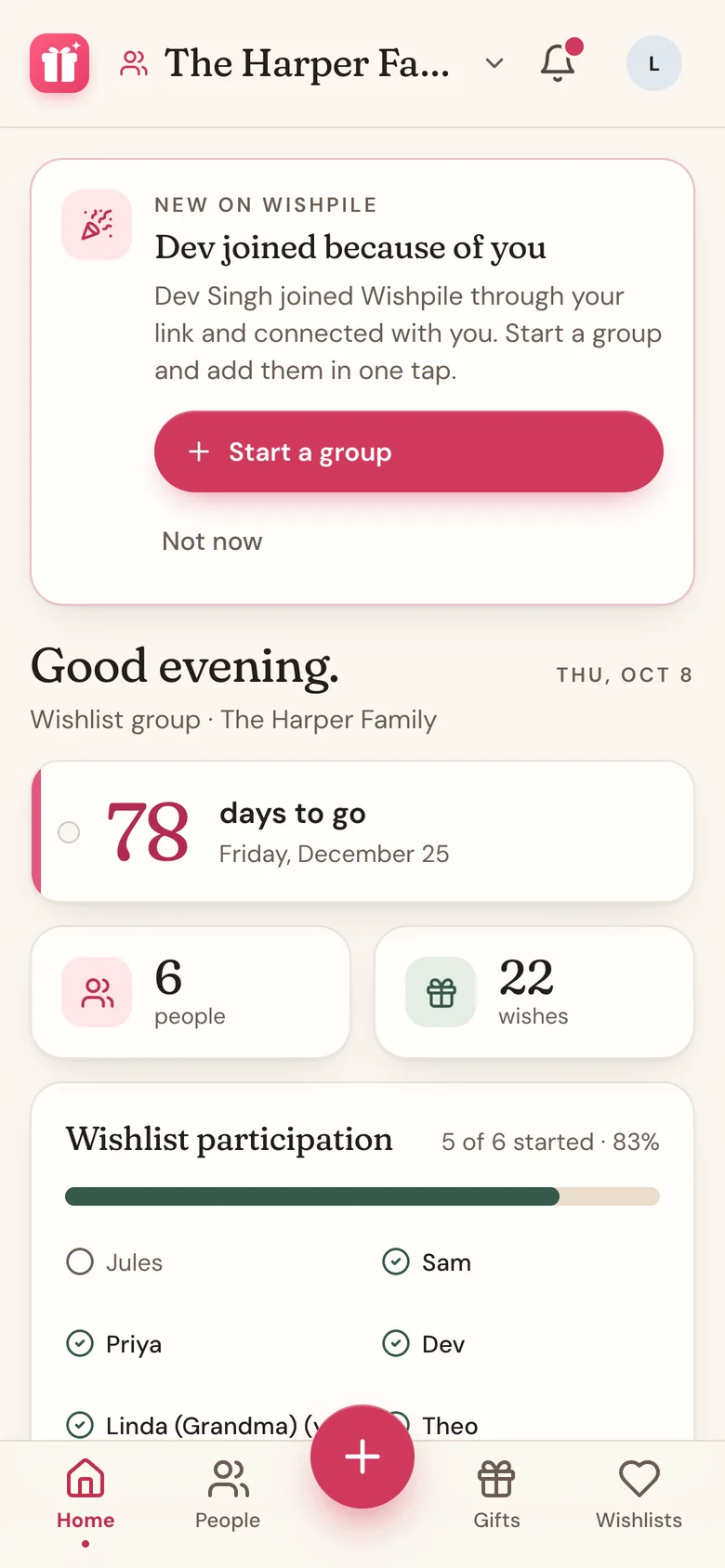
Once a friend connects, a card on your Home says they joined because of you:
- If you run a group or a Secret Santa that hasn't drawn names yet, tap Add to that group. They're in straight away, with a wishlist.
- No groups yet? Tap Start a group.
- Tap Not now to put the card away.
Good to know
- The card shows for 30 days after a friend connects, or until you add them to a group.
- Connected friends also show in the People you know list when you add people to your group, and on your Profile.
- To disconnect from someone, open your Profile and tap Disconnect next to their name. It works both ways and doesn't remove anyone from a group.
Related
Still stuck?
Ask Wishpile and get an answer in seconds, or email support@wishpile.com and a real person will get back to you. Quick answers live in the FAQ.