Add everyone who's part of the group. Give Wishpile their email and it sends them a personal link, so they can make a wishlist and shop the family's lists without signing up.
Steps
- Tap Wishlists in the bottom bar, then tap your group's card to open it.
- Tap Add a member at the bottom of the card.
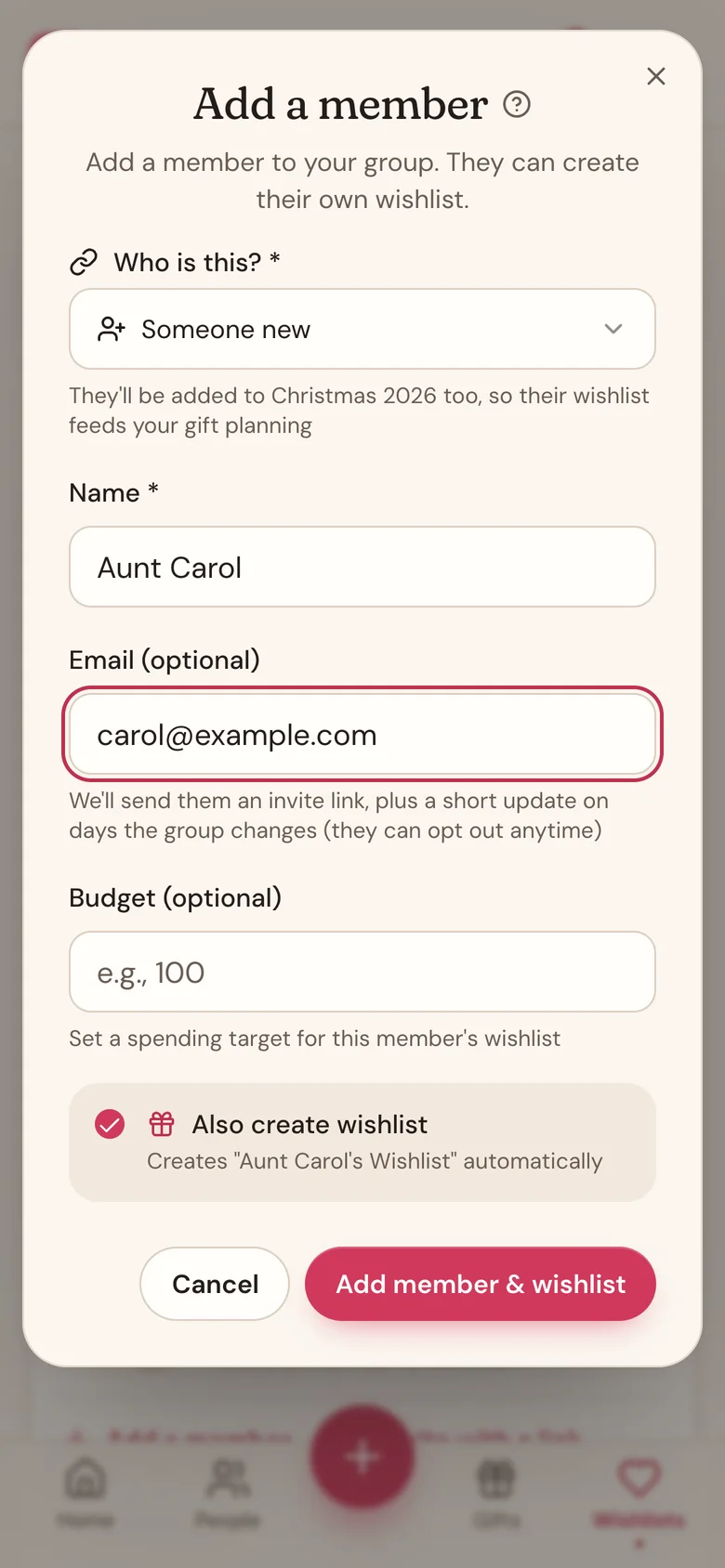
- Under Who is this?, choose one:
- Me (this account) to join your own group.
- Someone new, then type their Name. They're added to your current gift list too.
- Anyone already on your People list.
- Optional: type their Email (optional) so Wishpile can send them their invite.
- Optional: set a Budget (optional) for them.
- Leave Also create wishlist ticked to start a wishlist for them, then tap Add member & wishlist. (Untick it and the button says Add member.)
Add people you already know
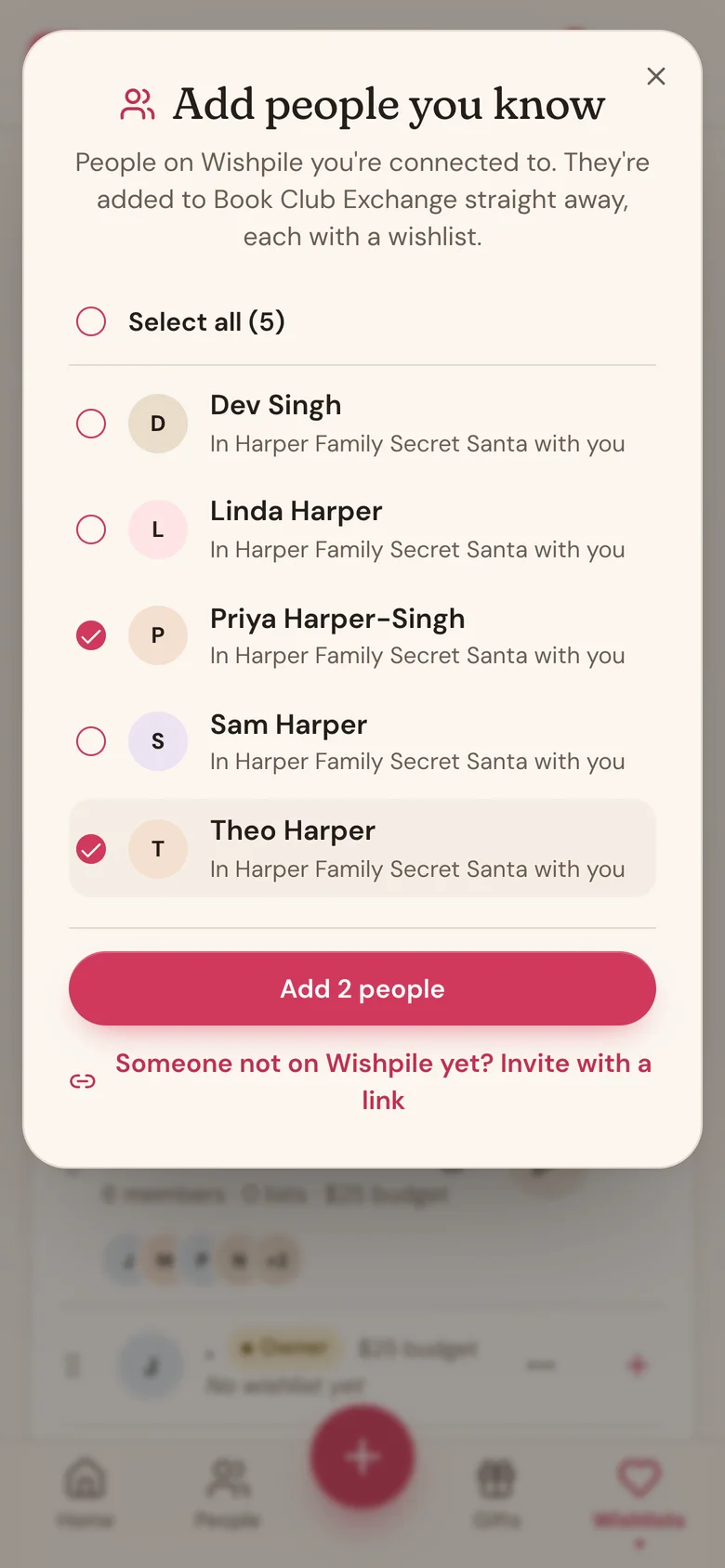
If they're already on Wishpile and you know them there, you don't need their email. Tap Add a member, then People you know on Wishpile at the top. Tick the people you want (or Select all) and tap Add (it says how many, like Add 2 people). They're in the group straight away, each with a wishlist. Each of them gets an email saying you added them, with a button to their wishlist.
Who shows up there:
- People who joined a group through your invite link, or whose link you joined.
- People who joined Wishpile through your Share Wishpile link, once they've said yes to connecting with you. Wishpile asks them the first time they open the app.
- People in another group with you.
To take someone off the list, open your Profile, find them under People you know, and tap Disconnect. It works both ways and doesn't remove anyone from a group.
Invite everyone with one link
Rather than adding people one by one, send one link to the whole family:
- Open your group's card and tap Invite with a link at the bottom.
- Tap Share link to text or email it, or Copy to paste it anywhere.
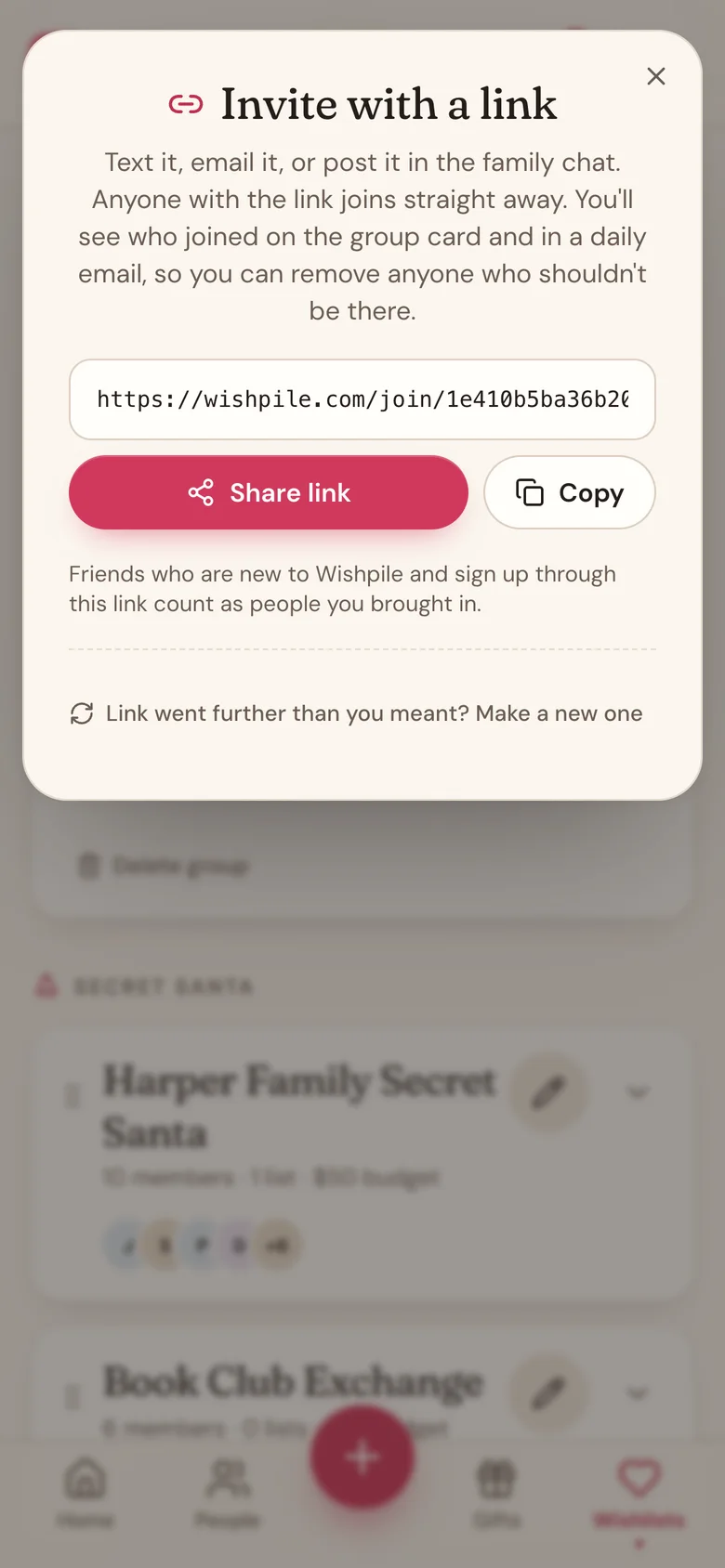
Anyone who opens it signs in (or makes a free account) and joins straight away, with a wishlist ready to fill in. Nobody waits on you to let them in.
You stay in charge of who's there:
- New people show under New through your link on your group's card, with their name and email. Tap Looks good and choose who they are on your People list, or Remove.
- On days someone joins, you get one email listing who joined, so you don't have to go looking.
- Someone you remove can't use the link to come back.
- If a link went further than you meant, tap Invite with a link, then Make a new one. The old link stops working straight away. People already in the group stay in.
- Friends who are new to Wishpile and sign up through your link count as people you brought in.
What the invite says
The email tells them you added them to your group and shows the group's date if it has one. Its Open my wishlist button takes them to their own page, where they can add wishes and claim gifts from everyone else's lists. It also mentions they can make an account later if they want one.
Share or resend a link
Tap the ... button on a member's row:
- Copy share link copies their personal link, so you can text it or send it any way you like.
- Resend invite email sends the email again. It shows for members you added with an email.
- Edit member fixes their name or email. Adding or changing an email sends the invite to the new address. If the old address already got an invite, that link stops working.
Good to know
- Members who already have a Wishpile account sign in with their own email, so you can change their name but not their email.
- Each link is personal. Anyone who has it can edit that person's wishlist, so send it only to them.
- Members with an email also get a short update on days the group changes. They can opt out anytime.
- Everyone you add is tied to a person on your gift list, so their wishes show up right where you plan their gifts.
- Me (this account) only shows until you've added yourself.
Related
Still stuck?
Ask Wishpile and get an answer in seconds, or email support@wishpile.com and a real person will get back to you. Quick answers live in the FAQ.