The organizer (whoever created the group) manages who's in it and how it's set up. Here's how to make changes, and what each one removes.
Fix a member's name or email
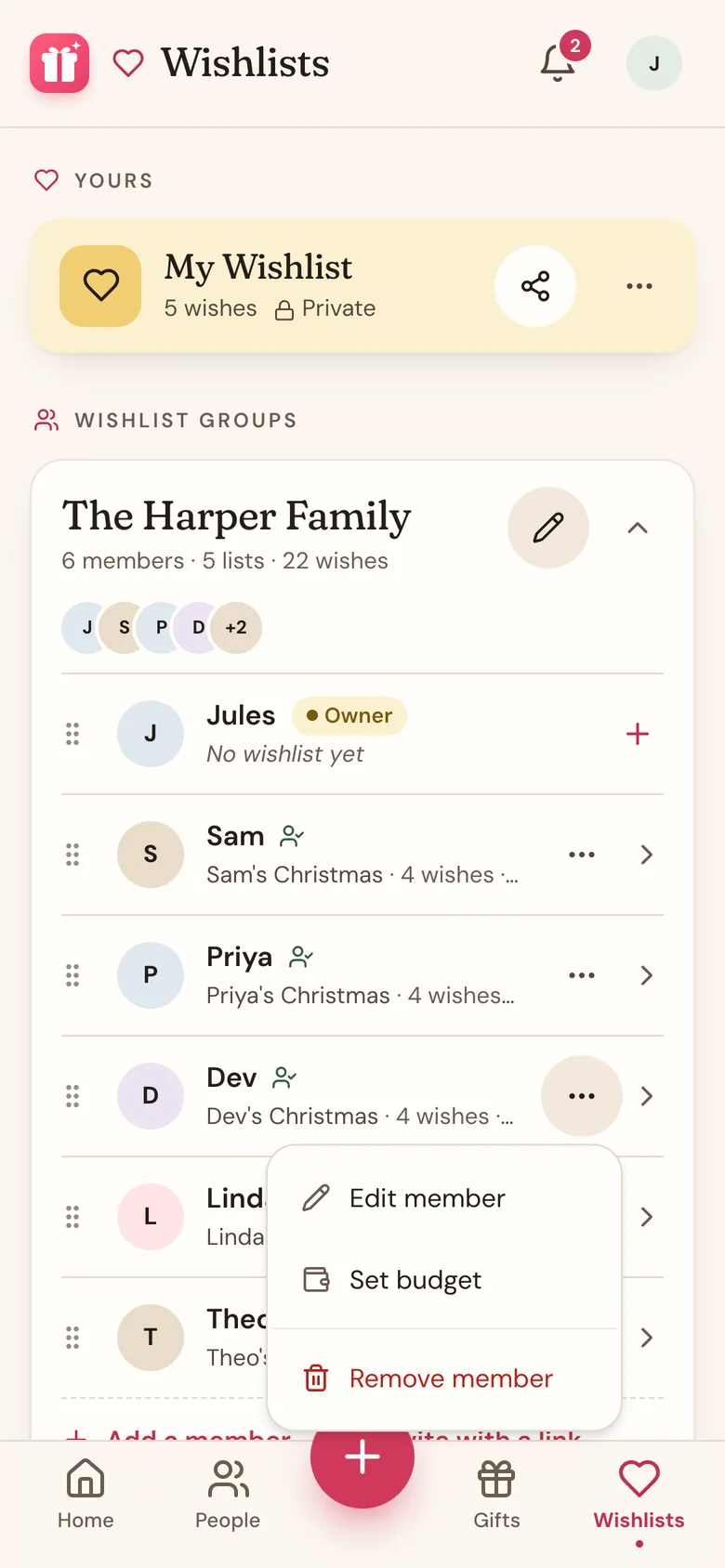
- Tap the ... button on the member's row.
- Tap Edit member.
- Change the Name or Email (optional), then tap Save changes.
Their wishlist, claims, and Secret Santa match stay put. Adding or changing an email sends their invite to the new address, and if the old address already got an invite, that link stops working. Members with a Wishpile account sign in with their own email, so only their name can change.
Remove a member
- Tap Wishlists in the bottom bar, then tap the group's card to open it.
- Tap the ... button on the member's row.
- Tap Remove member, then Remove to confirm.
Removing someone permanently deletes their wishlist in the group and everything on it, and their personal link stops working. Gifts they'd claimed open back up for others. This can't be undone.
In a Secret Santa group where names are already drawn, removing someone who was in the draw also resets it to Draft. The confirmation tells you first. Draw names again afterward.
Leave a group
There's no way to leave a group on your own yet. If you want out, ask the organizer to remove you.
You can delete your own wishlist anytime: tap the ... button on your row, then Delete wishlist.
Edit a group
Tap the pencil icon on the group's card to change the Group name, the linked gift list, or the date. Tap Save changes.
Delete a group
- Open the group's card on the Wishlists tab.
- Tap Delete group at the bottom of the card.
- Tap Delete to confirm.
This deletes every member, wishlist, and wish in the group, and all its invite links stop working. Gifts you already added to your own gift lists stay put. It can't be undone.
Good to know
- Only the organizer sees Edit member, Remove member, the pencil icon, and Delete group.
- The organizer can't remove themselves, but can delete their own wishlist.
- Same family next year? Keep the group and point it at your new gift list or date with the pencil icon.
Related
Still stuck?
Ask Wishpile and get an answer in seconds, or email support@wishpile.com and a real person will get back to you. Quick answers live in the FAQ.