The first time you sign in, Wishpile asks what you'd like to do first. Pick whatever fits today. You can do all three later, and nothing you pick now locks you in.
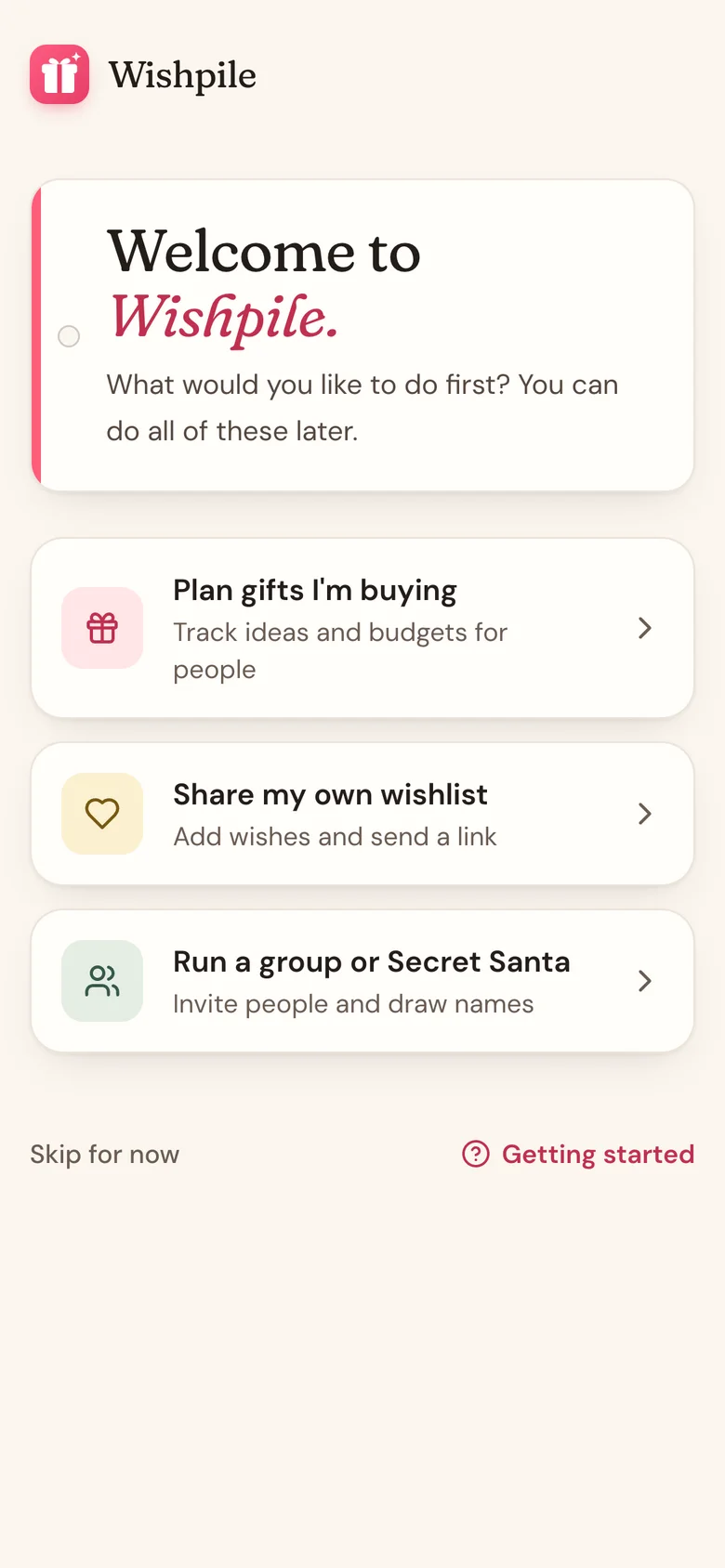
Plan gifts I'm buying
Opens a New list sheet for your first list. Between September and Christmas it's already filled in as "Christmas" with this year and a December 25 countdown; change anything you like, then tap Create list. Wishpile goes straight on to adding the first person you're buying for. Then add gift ideas for each one, and Wishpile keeps track of budgets and what you've bought, wrapped, and given.
Share my own wishlist
Opens the Wishlists tab with a New wishlist sheet ready to go, already named for your first one. Change the name if you like and tap Create wishlist. Wishpile opens it ready for your first wish. Add the things you'd love and send the link to anyone. People can claim gifts from it without spoiling the surprise.
Run a group or Secret Santa
Opens the Wishlists tab and asks What type of group?
- Wishlist group: everyone adds a wishlist in one place, so the whole family can shop from each other's lists for a holiday or birthday.
- Secret Santa group: add the names, set a budget, and Wishpile draws who gives to whom.
Not sure yet? Tap Skip for now to go straight to Home, or Getting started to browse these help articles.
Lists, wishlists, and groups
These three words come up everywhere in Wishpile:
- A list is one occasion you're buying for, like Christmas 2026 or Maya's 9th Birthday. It holds the people, their gifts, and your budget. It's your private plan.
- A wishlist is the opposite side: things you would like to get. You share it with a link, or let Wishpile email it for you.
- A group brings several people's wishlists together for one occasion, or runs a Secret Santa draw.
Good to know
- Whichever you pick, a Getting started checklist on Home walks you through the next few steps. See Your Getting started checklist.
- The welcome screen only shows once. Everything on it is still there later: lists live in the switcher at the top of Home, and wishlists and groups live in the Wishlists tab.
- Once you're in a group, you can switch to it from the same switcher. Home, People, and Gifts then show that group instead of your list.
Related
Still stuck?
Ask Wishpile and get an answer in seconds, or email support@wishpile.com and a real person will get back to you. Quick answers live in the FAQ.