You need an account to plan gifts, make a wishlist, or run a group. It takes under a minute, with Google or with your email.
Steps
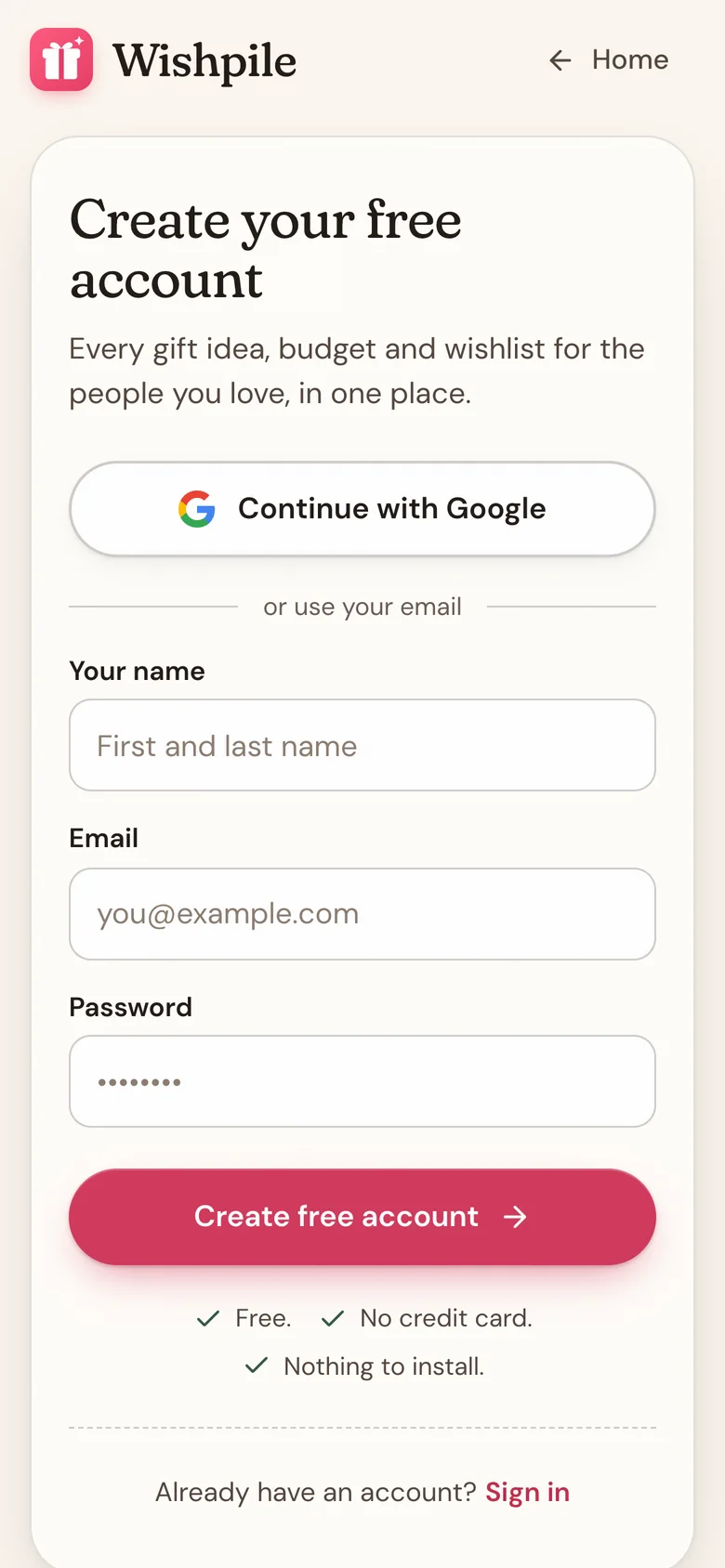
- Go to wishpile.com and tap the button to sign up. You'll see Create your free account.
- The quickest way: tap Continue with Google and choose your Google account. You're in, no password needed.
- To use email instead, fill in Your name, Email and Password. Your password needs at least 6 characters.
- Tap Create free account.
- You'll see Check your email. Open the email from Wishpile and tap the link to confirm your account, then sign in.
No email after a few minutes? Check your spam folder, then tap Didn't get the email? Resend it.
Already have an account? Tap Already have an account? Sign in at the bottom, or tap Continue with Google if that's how you signed up.
Forgot your password?
- On the sign-in screen, tap Forgot password? next to Password.
- Type your Email and tap Send reset link.
- Open the email and tap the link. It takes you to Set a new password.
- Type your new password in New password and again in Confirm new password, then tap Update password. You're signed in.
Good to know
- If you signed up with Google, your account doesn't have a Wishpile password. Always sign in with Continue with Google.
- Your name is how people in your groups and household see you. It comes from Your name, or from your Google account if you use Google. Change it any time in Profile settings.
- Reset links expire. If you see Link expired, tap Back to sign in and ask for a fresh one.
- For privacy, the reset message looks the same whether or not an account exists for that email. If nothing arrives, check the spelling, or try Google.
- The first time you sign in, Wishpile asks what you'd like to do first.
Related
Still stuck?
Ask Wishpile and get an answer in seconds, or email support@wishpile.com and a real person will get back to you. Quick answers live in the FAQ.