Keeping a wishlist for someone else, like your child? Point it at them, and every wish shows up on their page in your gift list, right next to the gifts you're planning.
Steps
- Tap Wishlists in the bottom bar.
- On the wishlist's card, tap the ... button, then Edit wishlist. (You can also do this when you create a wishlist.)
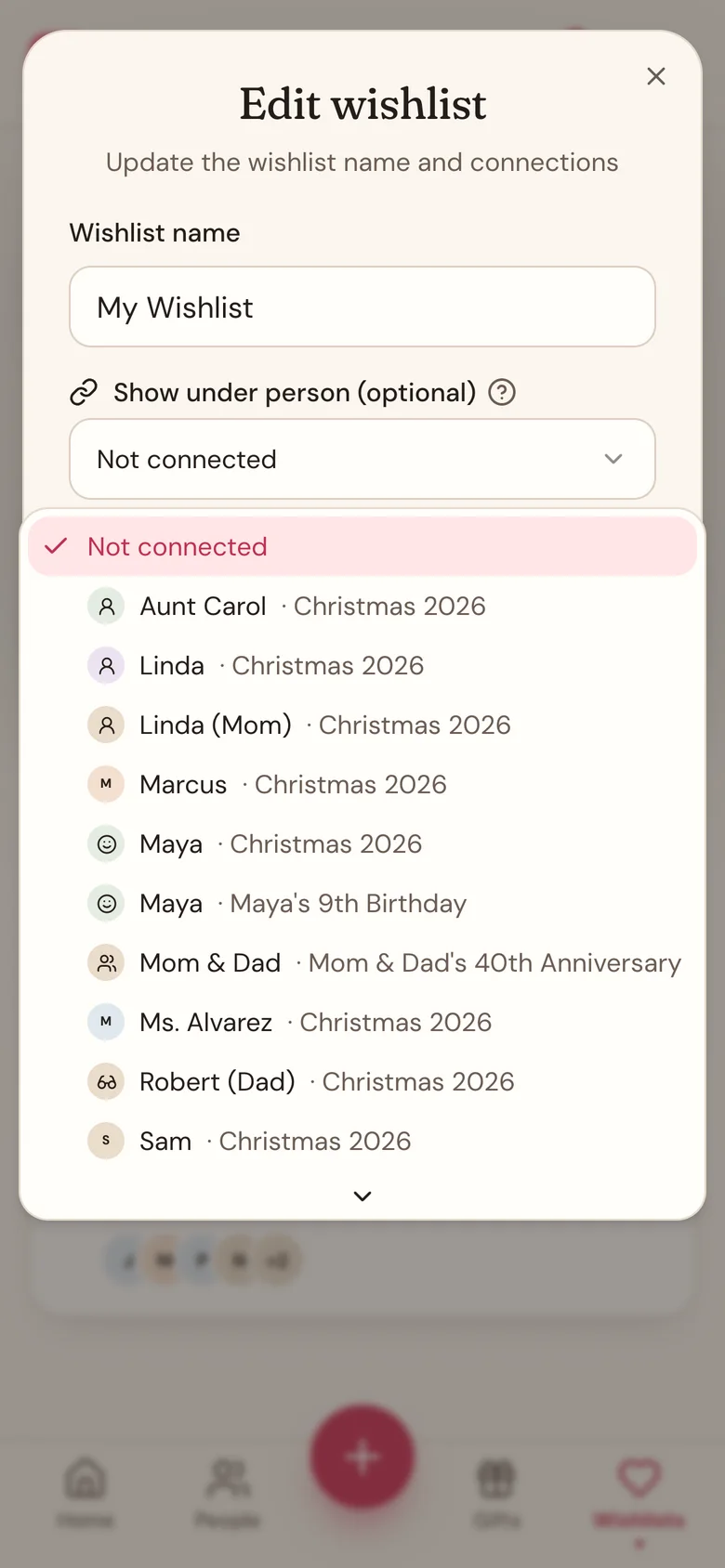
- Under Show under person (optional), pick the person. Each one shows its gift list too, like "Maya · Christmas 2026".
- Tap Save changes. The card now shows who the wishlist is under.
- To see it, tap People in the bottom bar, then that person's name. Their wishes are in From wishlists.
Good to know
- Nothing is copied. Add, edit, or delete a wish and the person's page shows it straight away.
- Only people on current and upcoming gift lists are offered, plus lists with no date. Last year's lists aren't.
- If you don't have anyone on a current or upcoming list yet, the picker doesn't appear.
- A wishlist shows under one person at a time. To stop, pick Not connected and tap Save changes.
- Wishes under a person aren't gifts yet. When you decide to get one, add it as a gift on their page.
- On the Gifts page, a line on the person's card says how many wishes nobody has claimed yet, like "3 unclaimed wishes on their wishlist." They get a card even before you've added a gift for them. Tap the line to jump to their wishes. Wishes aren't counted in the person's total.
- If the gift list is shared with a household partner, they see these wishes too. They also see Claimed on a wish someone claimed from your share link, but never who. You always see Not claimed yet.
- Planning with a partner? Pick yourself on their list, and your wishes show on your page in their plan. From then on, that person and any gifts for you are hidden from you.
Related
Still stuck?
Ask Wishpile and get an answer in seconds, or email support@wishpile.com and a real person will get back to you. Quick answers live in the FAQ.