Every wishlist has its own link. Send it to family and friends, and they can see what you'd love and claim a gift so nobody buys the same thing twice.
Steps
- Tap Wishlists in the bottom bar.
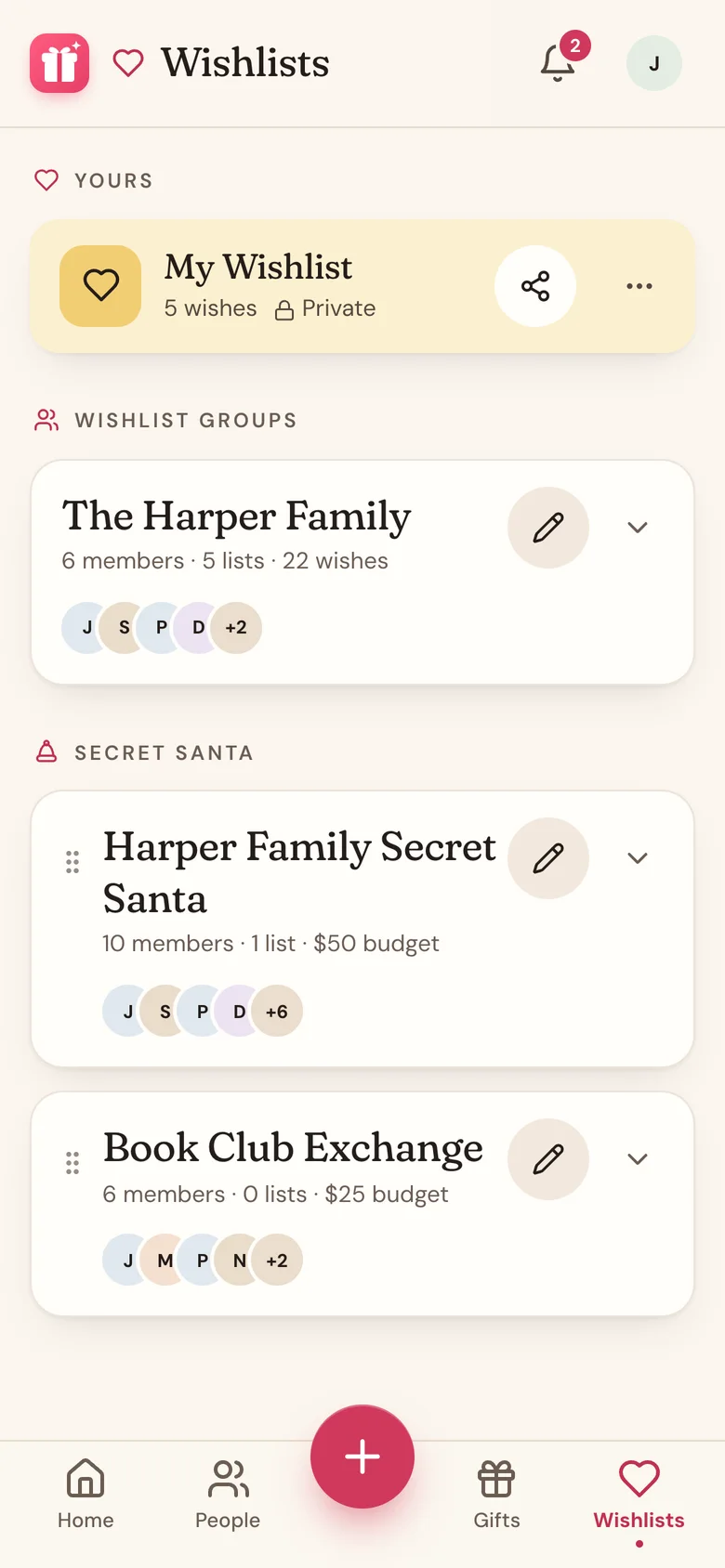
- On your wishlist's card, tap the share icon. (Or open the wishlist and tap the share icon at the top.)
- Tap Share link. On a phone, your share sheet opens: pick Messages, email, or any app and send it. On a computer, the link is copied for you and you'll see Share link copied! Paste it wherever you like.
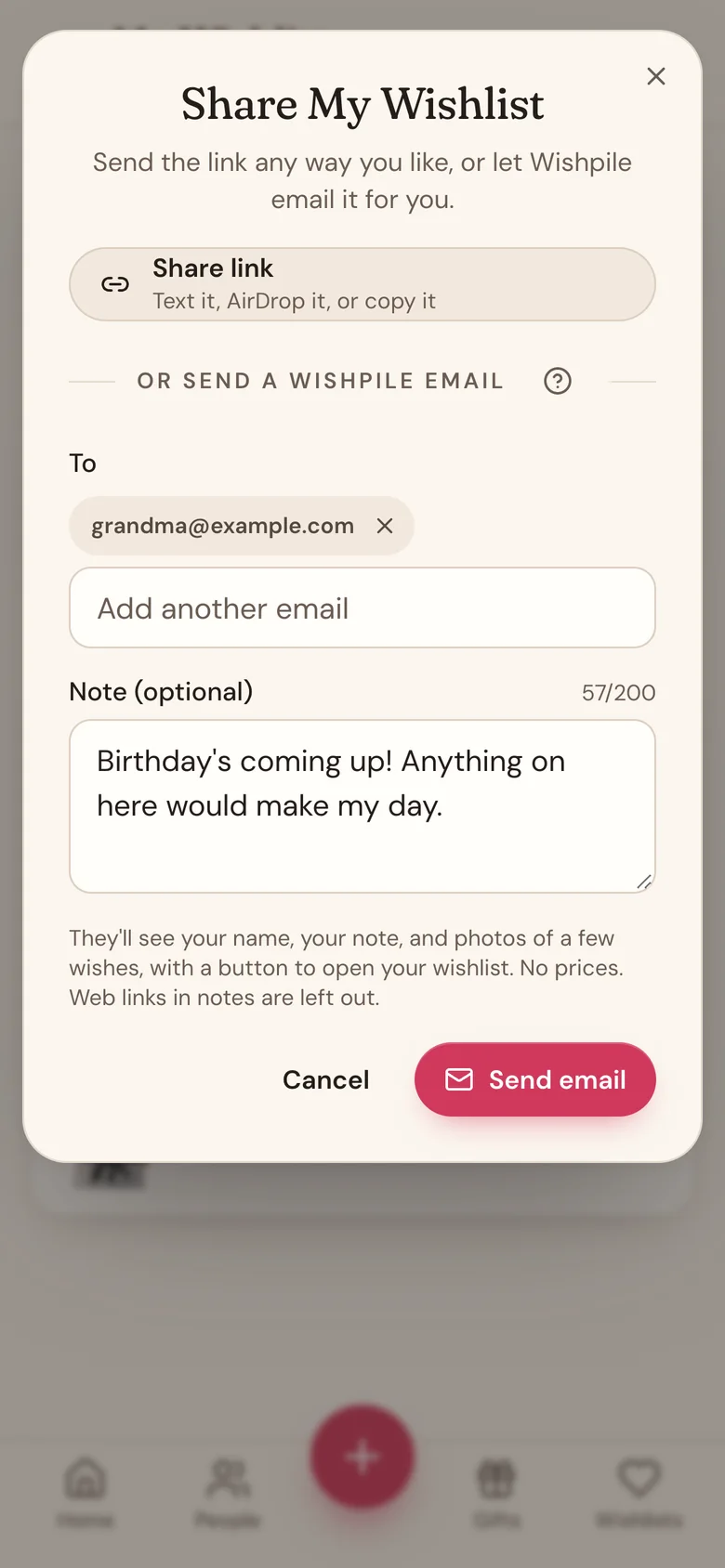
Or let Wishpile email it for you
Instead of Share link, you can send a Wishpile email with photos of your wishes and a button that opens your wishlist.
- Tap the share icon, then type an email address under Send a Wishpile email. Add up to 5 people. Anyone you've emailed before shows under Sent before, so one tap adds them again.
- Add a short note if you like, up to 200 characters.
- Tap Send email.
The email comes from "Your name via Wishpile" and shows your name, your note, the wishlist name, and photos and names of up to 4 wishes, must-haves first. It never shows prices. When someone replies, the reply goes straight to you.
To keep inboxes spam-free, Wishpile emails have a few limits:
- You can email up to 20 people a day.
- The same person gets the same wishlist at most once a week.
- Web links in your note are left out. The only link in the email is your wishlist.
- Your email address has to be confirmed first.
- Anyone can tap Don't email me from Wishpile again at the bottom of the email. After that, nobody can email them a wishlist through Wishpile, but your share link still works for them.
What people see
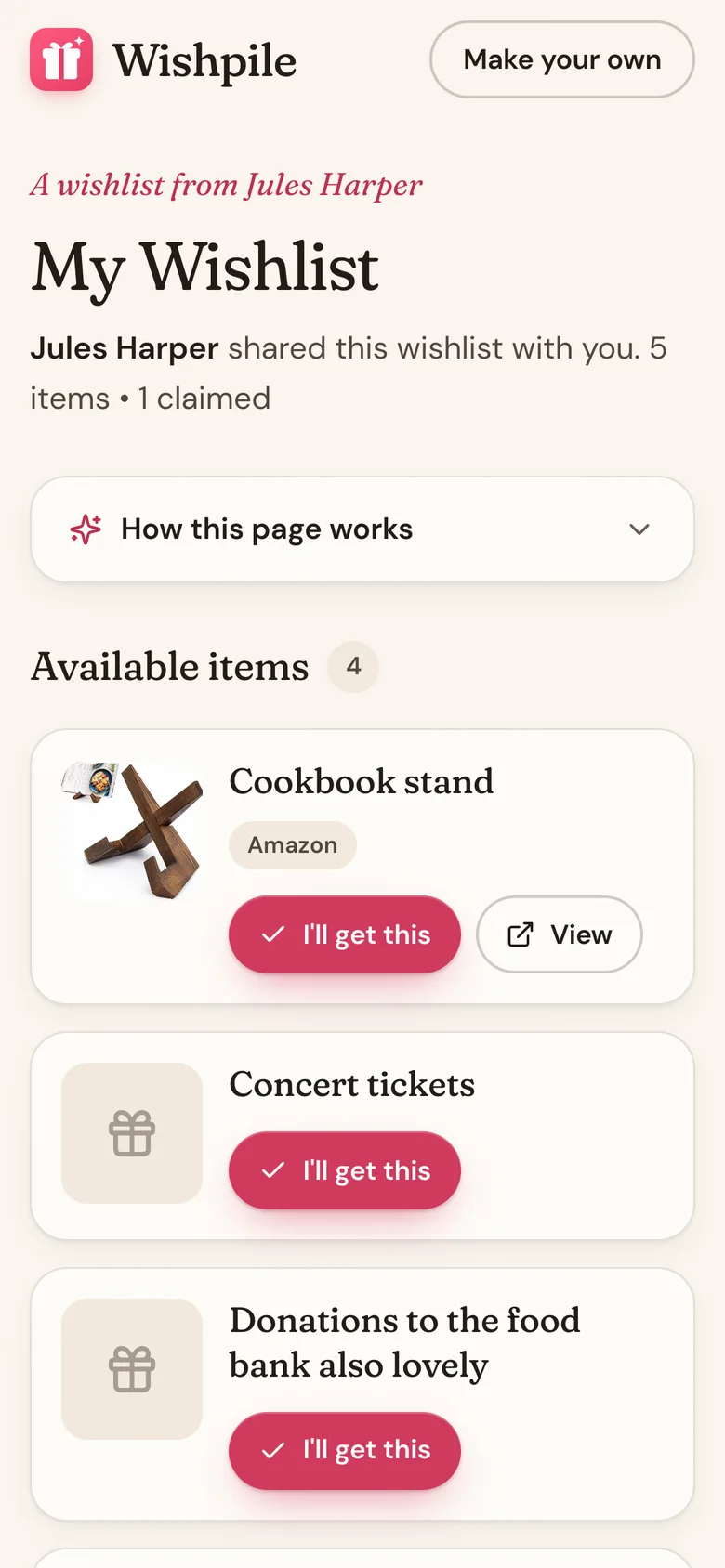
The link opens a page with your name, the wishlist name, and every item with its photo, description, price, quantity, and store. Must-haves are marked with a heart. Each item has a View button that opens it on the store's website, and an I'll get this button to claim it.
Claimed items move to Already claimed. Visitors see that something is claimed, never who claimed it. You don't see claims at all.
Good to know
- Add at least one item before you share. An empty wishlist can't be shared yet.
- The link never expires. Add, edit, or remove items any time, and anyone who opens the link sees the latest version.
- People don't need a Wishpile account to view your list or claim a gift.
- Private on a wishlist card means it isn't shown under a person on your gift lists. It doesn't turn off the link.
- Must-have hearts show on the shared page too, so people can tell what matters most.
- To stop sharing, delete the wishlist. The link stops working right away. There's no way to turn off a link and keep the list.
Related
Still stuck?
Ask Wishpile and get an answer in seconds, or email support@wishpile.com and a real person will get back to you. Quick answers live in the FAQ.