A Secret Santa group handles the whole exchange: everyone adds a wishlist, you draw names, and each person sees only who they're buying for.
Steps
- Tap the + button in the middle of the bottom bar, on any screen.
- Tap Secret Santa.
- Type a Group name, like "Family Secret Santa 2026".
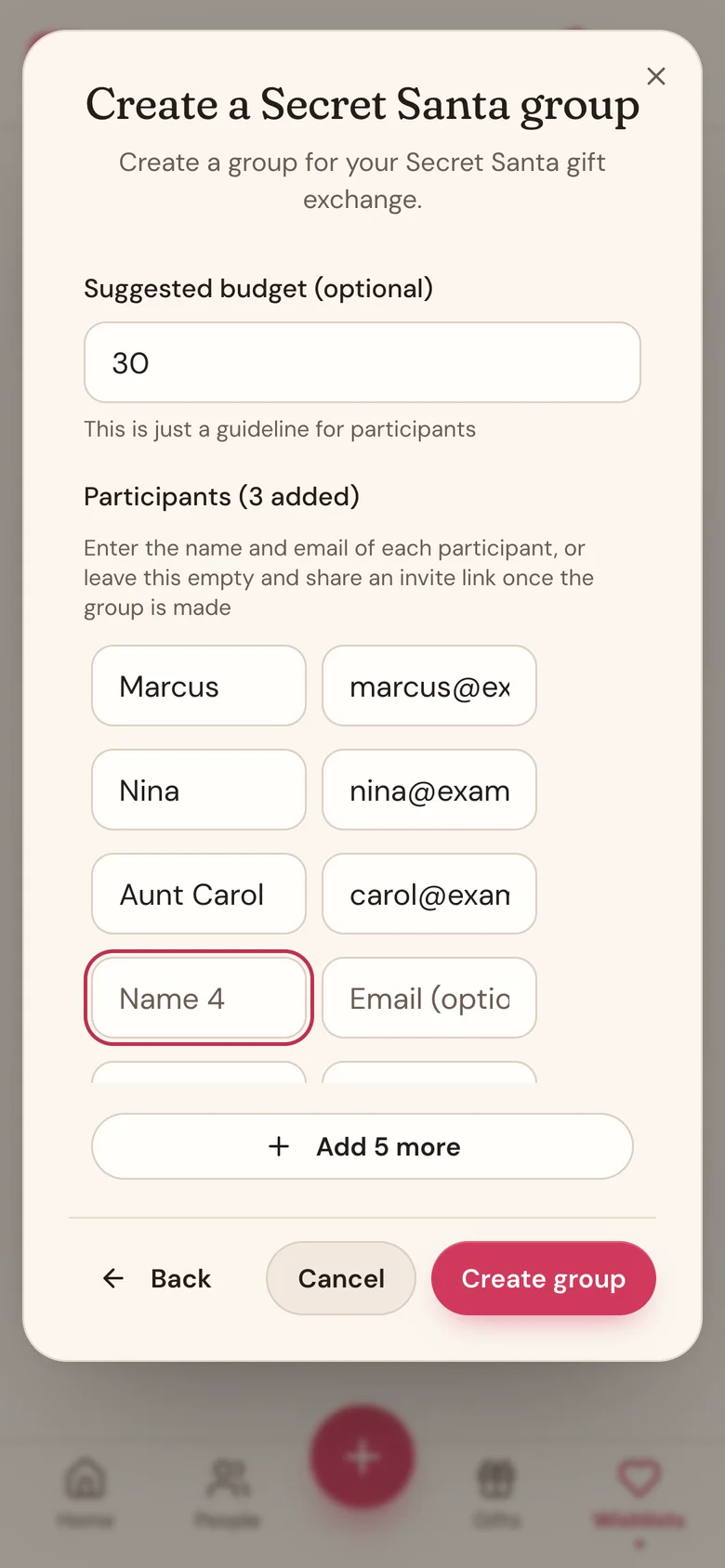
- Optional: pick an Exchange / event date (optional) and a Suggested budget (optional).
- Under Participants, type each person's name and, if you have it, their email. Need more rows? Tap Add 5 more.
- Tap Create group.
What happens when you tap Create group
- You're in automatically. You're added as a participant, so don't type yourself into the list. Running it without swapping gifts? You can sit the draw out.
- Invites go out. Everyone you gave an email gets an invite with an Add my wishlist button, so they can start their wishlist right away, no account needed.
- A draw is ready. Wishpile sets up a draw with the same name and budget. Find it on the group's card on the Wishlists tab, under Draws.
Good to know
- Add emails wherever you can. To see who they drew, each person needs an account under the email you invited. See For participants: what you need to do.
- Forgot someone? Open the group's card and tap Add a member. If names are already drawn, you'll need to draw again.
- The budget is a guideline everyone sees. It isn't enforced.
- To change the name, date, or budget later, tap the pencil icon on the group's card. To add where the exchange happens, tap the pencil icon on the draw card under Draws.
- Typo in someone's name or email? Tap the ... button on their row, then Edit member.
Related
Still stuck?
Ask Wishpile and get an answer in seconds, or email support@wishpile.com and a real person will get back to you. Quick answers live in the FAQ.