Every family has a version of this. Grandma wants to give gifts, but she is not the one in the shops. So you end up carrying her money around in your head: this bike is hers, those pyjamas are yours, she said about three hundred dollars, and come wrapping night somebody has to remember which boxes get her name on the tag.
It sounds like nothing. It is two sets of books kept in one brain, which is why it falls over around the 20th of December.
Here is how to do it in Wishpile, and - just as usefully - the one part of it the app does not do for you.
The two things you are actually tracking
Strip it back and there are only two:
- Whose money bought this. You need one number at the end: what Grandma owes you, or what you owe her.
- Whose name goes on the box. A gift paid for by Grandma that gets wrapped with your name on it is a small disaster, and nobody notices until it is being opened.
Everything below is one of those two.
Record whose money it was, on the gift itself
Wishpile calls this Chipped in by, and it lives on the gift rather than in a separate list.
- On the person's page, tap the gift, then Edit gift. (Adding a new gift? Tap More details to find the same section.)
- Scroll to Chipped in by.
- Type
Grandmain the Who box, and what she put in under $. - If she is paying for the whole thing, tick Covers the full cost instead of typing an amount.
- Save changes.
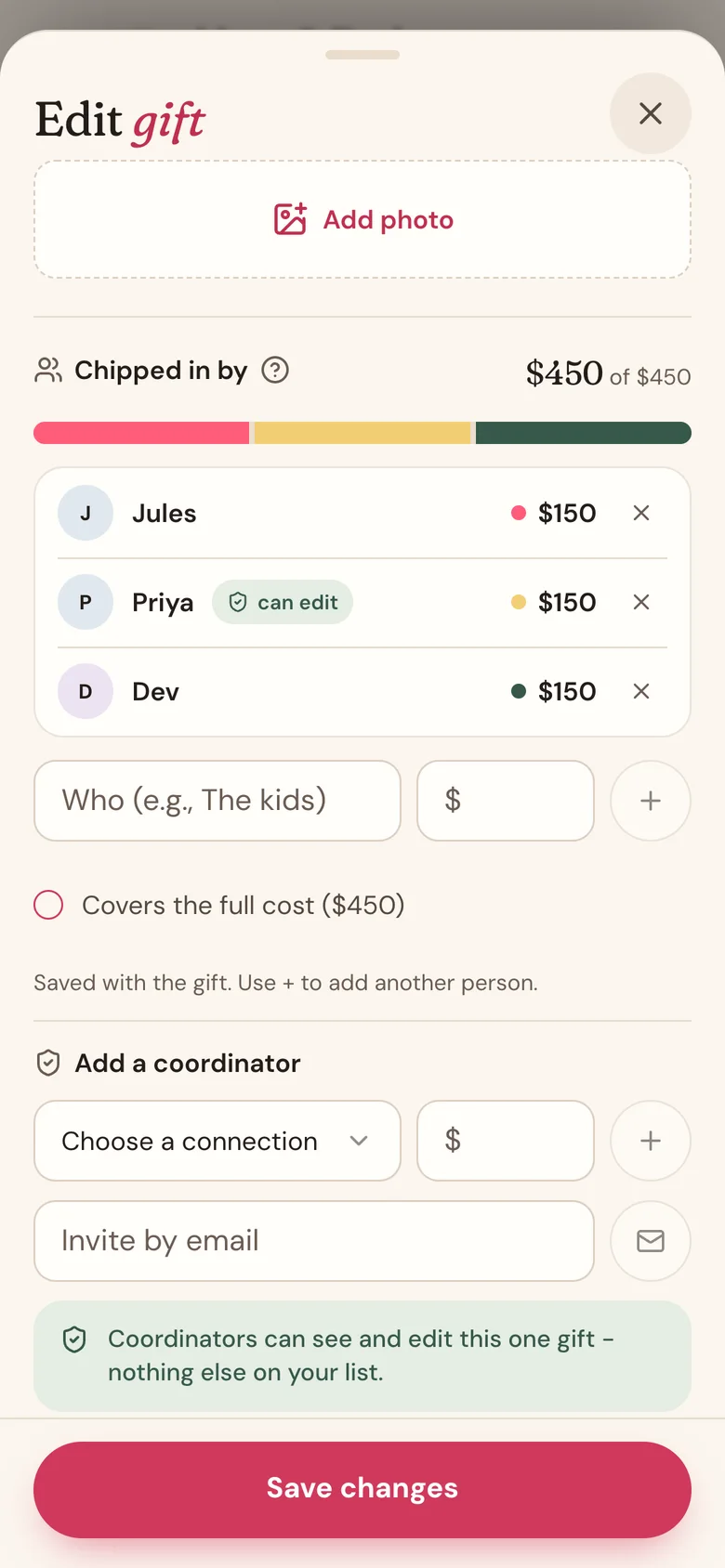
Two small things that matter more than they look. Names you have used before appear as buttons under the Who field, so tap the existing one and "Grandma" stays one person instead of three spellings. And Grandma needs no account, no invitation and no place in your family group for any of this - a chip-in is a note you are writing to yourself, not an access grant. It does not let her see or change anything.
The useful side effect: once the gift is Bought, Wrapped or Done, only your share counts toward what you have spent. The price minus everyone else's chip-ins. Her money stops pushing you over your own budget, which is the thing that makes a shared pile feel unmanageable in the first place.
Home's "Chipped In By" card is the reimbursement number
This is the part worth setting up for. On Home, the Chipped In By card adds every chip-in up by name across the whole gift plan. Tap Grandma and it opens out: how much of her money went to each person, each gift underneath, each gift's tag number beside it.
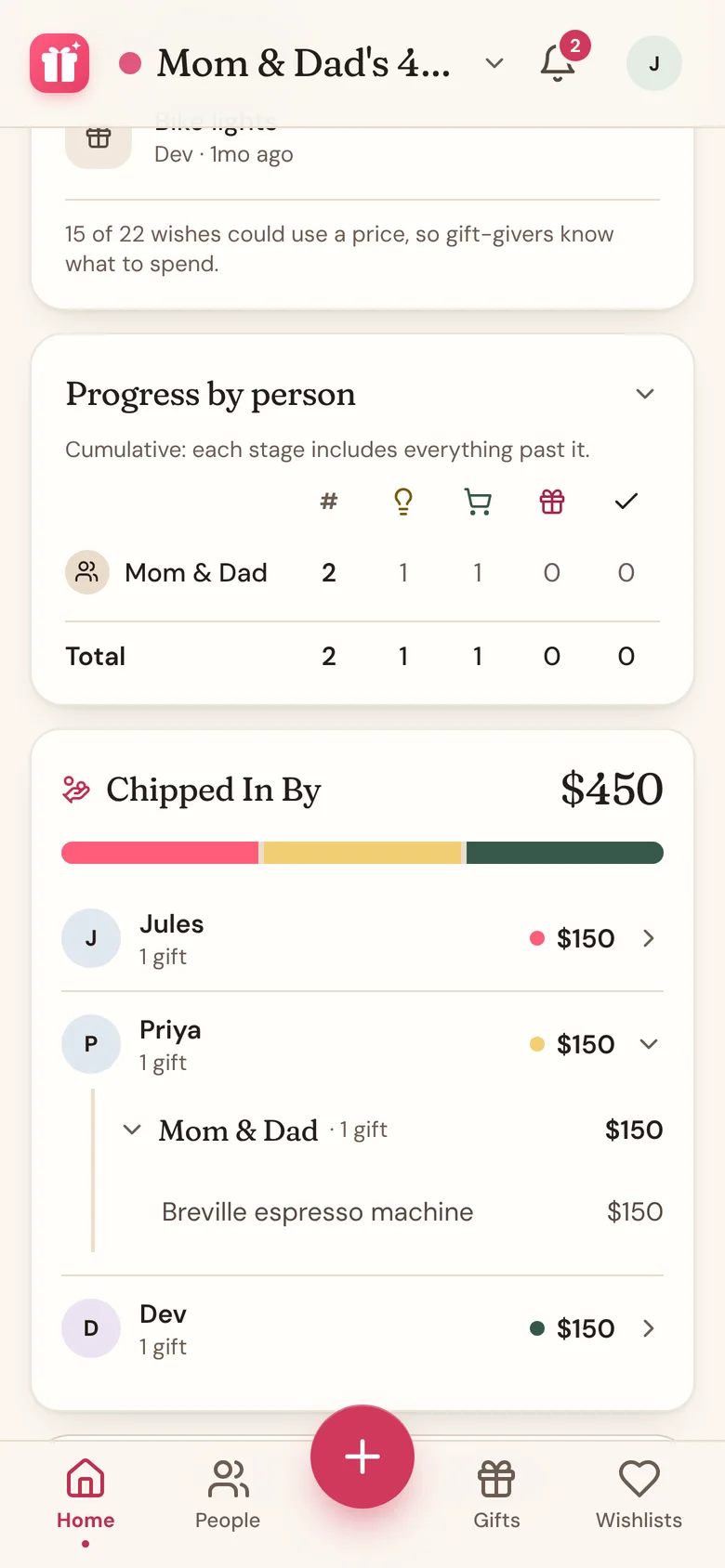
That is the end of the conversation you were dreading. Not "I think it was around two-fifty" but a figure with eleven lines behind it, any one of which you can read out.
Snap the receipt onto the gift while you are at it - open the gift, Add a receipt or photo - and the proof lives next to the number instead of in the bottom of a bag.
One gotcha, because it will bite you otherwise. The Chipped In By card counts every chip-in you have recorded, whatever stage the gift is at. A bike you have only pencilled in as an Idea, with her money noted against it, is in her total. Your own "spent" figure works the opposite way and counts only Bought, Wrapped and Done. So before you send her a number, glance down the stages and make sure everything in her column was actually bought.
What Wishpile will not do: give Grandma a budget
Be clear about this one, because it is the thing people expect and it is not there.
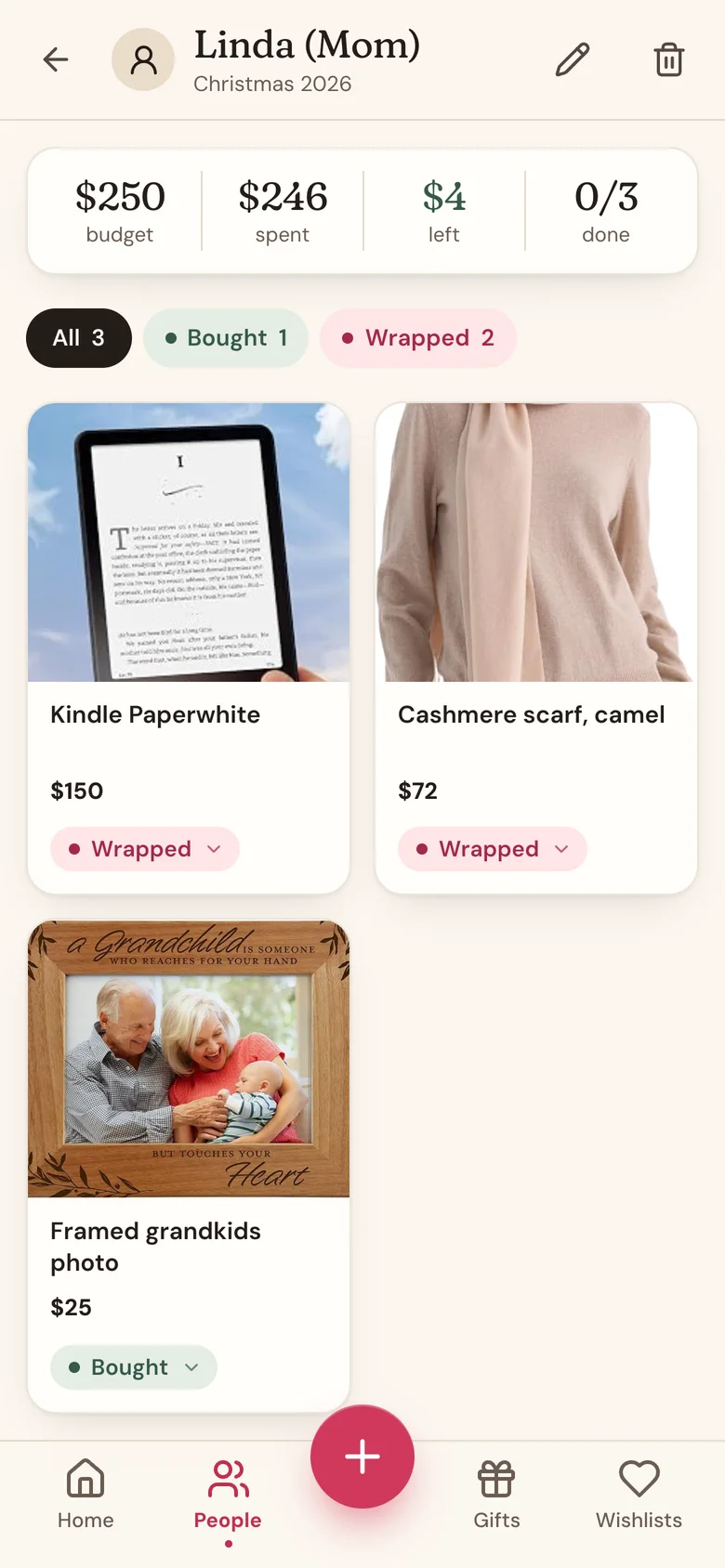
Budgets in Wishpile belong to the people you are buying for. Linda gets a budget. Maya gets a budget. The contributors who chip in do not - there is no screen that says Grandma: $300 budget, $247 spent, $53 left.
If Grandma has set herself a cap, the running total on the Chipped In By card is the number to watch and you compare it to her cap yourself. It takes one tap to check and it is honestly fine. But it is a figure you hold, not one the app will warn you about, so do not plan on being stopped at the limit.
The tag: Wishpile gives you the number, you write the name
Here is the second half, and the same kind of honesty applies.
Wishpile has gift tag numbers, off until you switch them on:
- Tap your picture at the top right, then Profile settings.
- Under Display, turn on Gift tag numbers.
- Open a wrapped gift, tap Edit gift, and tap the Tag # field next to the price. Wishpile fills in the next free number in the gift plan.
- Save changes, and write that same number on the gift's tag.
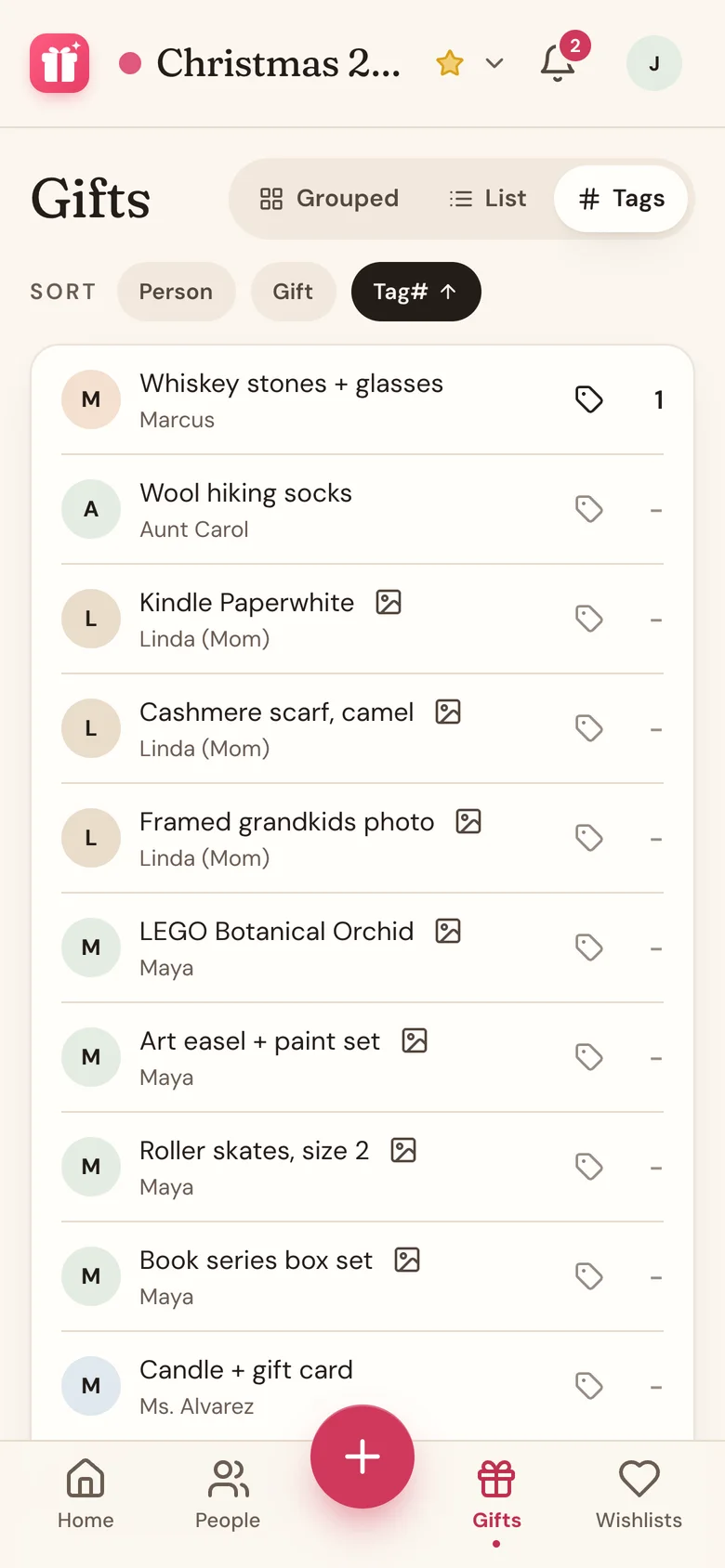
Worth knowing before you start: saving a gift with a tag number for the first time moves it to Done, on the reasoning that a numbered gift is wrapped and ready. After that the stage is yours again.
Nothing prints. There is no label maker in here and no tag that comes out saying "From Grandma, with love". The number goes on the tag in your handwriting, like it always did.
What you get instead is the matching, which was the actual problem. On wrapping night, open the Chipped In By card and tap Grandma: her gifts, with their numbers. Boxes 4, 7 and 11 are hers. You write three tags from Grandma and the rest from you, and at no point do you have to remember anything.
If you want her name to travel with the gift in the app too, put From Grandma in the gift's Notes. Notes is one of the columns in Export to CSV on the Gifts tab, alongside person, gift, status, cost and tag number - so when she asks for the breakdown, the export is the email.
The thirty-second version
- Add the gift to the person it is for, as normal.
- Under Chipped in by, put
Grandmaand her amount (or tick Covers the full cost). - Check Home > Chipped In By whenever you want her running total.
- Turn on tag numbers, number each box as you wrap it, and write the number on the tag.
- On wrapping night, tap Grandma on that card to see which numbers are hers.
One list, not two. One total you can defend. And the only thing left in your head on the 24th is where you put the sticky tape.
This works for anyone buying through you, not just grandmothers - a sibling going halves on the big present, a parent sending money for the kids, a partner who wants their own spend kept separate. Wishpile is free, and it is built for the gift situations that do not fit in one person, one budget. If duplicate presents are your family's other December problem, how to stop buying duplicate gifts picks up where this leaves off.
Common questions
How do I track what someone else paid for a gift I bought?
Record it on the gift itself. Open the gift, tap Edit gift, scroll to Chipped in by, and type their name with the amount they put in (or tick Covers the full cost). Wishpile then takes their share off the price, so only your part counts toward what you have spent.
Can I see one total for everything Grandma chipped in?
Yes. The Chipped In By card on Home adds up each contributor across the whole gift plan. Tap her name to open it out into how much went to each person, with every gift and its tag number listed underneath. It counts chip-ins at any stage, including ideas, so check the stages before you treat it as a final bill.
Does Grandma need a Wishpile account to be recorded as chipping in?
No. A chip-in is just a name you type, so she needs no account, no invite and no place in your family group. It is a record for you, and it gives her no access to your gift plan. If you do want someone who can actually see and edit gifts, make them a coordinator instead.
Can Wishpile print a gift tag that says the gift is from Grandma?
No. Wishpile gives each wrapped gift a number you write on the tag by hand, and it remembers what is in that box. The name is still your handwriting. What saves you on wrapping night is tapping Grandma on the Chipped In By card: her gifts come up with their tag numbers, so you know exactly which boxes get her name.